Anbernic RG406V: Difference between revisions
HandheldWiki (talk | contribs) |
HandheldWiki (talk | contribs) |
||
| Line 132: | Line 132: | ||
<li style="display: inline-block; vertical-align: top;"> [[File:RG406V filezilla sftp connection.jpg|thumb|none|400px|File manager on PC (FileZilla)]] </li> | <li style="display: inline-block; vertical-align: top;"> [[File:RG406V filezilla sftp connection.jpg|thumb|none|400px|File manager on PC (FileZilla)]] </li> | ||
</div> | </div> | ||
{{SectionStyleEnd}} | {{SectionStyleEnd}} | ||
Revision as of 05:17, 9 August 2025
Specification
| Anbernic RG406V | |
|---|---|
 | |
| Specification | |
| Brand | Anbernic |
| Release Date | September 19th 2024 |
| Form Factor | Vertical |
| SoC | UNISOC Tiger T820 |
| CPU | 8 cores: 1*A76@2.7GHz + 3*A76@2.3GHz + 4*A55@2.1GHz |
| GPU | Quad-core Mali-G57, 850MHz |
| RAM | 8GB LPDDR4X |
| Screen Size | 4" |
| Resolution | 960*720 |
| Aspect Ratio | 4:3 |
| Screen Type | IPS |
| OS | Android 13 |
| Internal Storage | 128G UFS2.2 |
| External Storage | 1x microSD card slot up to 2TB |
| WiFi | 2.4/5G WIFI 802.11a/b/g/n/ac |
| Bluetooth | Bluetooth 5.0 |
| Video Output | USB Type-C Supports 1080p DisplayPort output |
| Speaker | Dual Speakers |
| 3.5mm Audio Jack | yes |
| Battery | 5500mAh |
| Dimensions | length 14.5cm; width 10.5cm; height 2.9cm |
| Weight | 289g |
| Extras | RGB Joystick Lighting, Hall Effect Joysticks and Triggers, Six-axis Gyroscope, Vibration |
Performance
SNES GBA PS1 NDS PSP N64 DC Saturn GC PS2 3DS Wii
Anbernic T820 RG556 Game Compatibility- T820
|
|
|

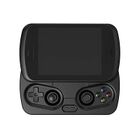


Price
~$170
Get the Handheld: AliExpress1 - AliExpress1
1 Buying through these affiliate links helps support the wiki. Your price stays the same. Commissions go toward devices, testing, documentation, and server costs.
Colors


More Images


More Information
Official website: https://anbernic.com/products/rg-406v
Videos
Firmware
https://anbernic.com/pages/ambernic-system-update-links-for-various-models
https://github.com/TheGammaSqueeze/Bootloader_Unlock_Anbernic_T820/releases
Setup Guide
Getting started
- Boot the device and follow the on-screen prompts - device will be setup automatically (takes a few minutes).
- Now you can use the Android operating system like on any mobile phone. Settings can be accessed by swiping down the screen twice.
- Connect to your wifi.
- There may be notification of a system update which you should perform (takes a few minutes).
- Login to the Google Play Store and download the android games and emulators you want to have on your device
- For downloading emulators, Obtainium plus the Obtainium Emulation Pack are recommended for new users.
- There are multiple front-end/game launcher options for emulators. Daijishō and ES-DE Frontend are the most known launchers.
Adding files
Direct download
You can download files directly on your RG406V with a browser. Firefox mobile with uBlock as an adblocker is pretty good for this.
Transfer files from PC to your handheld
There are multiple ways to do this. One simple and easy way is through SFTP connection. Once set up, this is a very convenient way to get files to your device(s).
On the RG406V download a file manager of your choice with SFTP support. For example:


On PC you can use a file manager like FileZilla or WinSCP and connect to your device.

Other Projects at the Handhelds Wiki





