R36S Hardware Modifications: Difference between revisions
HandheldWiki (talk | contribs) No edit summary |
HandheldWiki (talk | contribs) No edit summary |
||
| Line 1: | Line 1: | ||
{{R36S Handheld Wiki page navigation new}}{{TOC|limit=2}} | {{R36S Handheld Wiki page navigation new}}{{TOC|limit=2}} | ||
{{SectionStyleStart}} | |||
== More mods == | == More mods == | ||
| Line 11: | Line 12: | ||
Heatsink and fan: https://www.reddit.com/r/R36S/comments/1idv41l/some_questions_about_apps_and_oc/ | Heatsink and fan: https://www.reddit.com/r/R36S/comments/1idv41l/some_questions_about_apps_and_oc/ | ||
{{SectionStyleEnd}} | |||
{{SectionStyleStart}} | |||
== Battery extender with 2*18650 Li-Ion == | == Battery extender with 2*18650 Li-Ion == | ||
Reddit post: https://www.reddit.com/r/R36S/comments/1j3kb9z/battery_extender_with_218650_liion/ | Reddit post: https://www.reddit.com/r/R36S/comments/1j3kb9z/battery_extender_with_218650_liion/ | ||
| Line 39: | Line 41: | ||
[[File:1740909218171.jpg|none|thumb|385x385px]] | [[File:1740909218171.jpg|none|thumb|385x385px]] | ||
{{SectionStyleEnd}} | |||
{{SectionStyleStart}} | |||
== Modding and Teardown Guide == | == Modding and Teardown Guide == | ||
<youtube width="400">https://www.youtube.com/watch?v=G46JO6Ljvh0</youtube> | <youtube width="400">https://www.youtube.com/watch?v=G46JO6Ljvh0</youtube> | ||
{{SectionStyleEnd}} | |||
{{SectionStyleStart}} | |||
== "Ultimate R36S" by Swimming-Emphasis-91 == | == "Ultimate R36S" by Swimming-Emphasis-91 == | ||
| Line 67: | Line 73: | ||
</ul></div> | </ul></div> | ||
{{SectionStyleEnd}} | |||
{{SectionStyleStart}} | |||
== Shoulder Buttons / Noise Reduction == | == Shoulder Buttons / Noise Reduction == | ||
| Line 95: | Line 103: | ||
</ul></div> | </ul></div> | ||
{{SectionStyleEnd}} | |||
{{SectionStyleStart}} | |||
== D-pad and Buttons Fix / Improvement == | == D-pad and Buttons Fix / Improvement == | ||
| Line 106: | Line 116: | ||
<youtube width="400">https://www.youtube.com/watch?v=P1Tl63tKERI</youtube> | <youtube width="400">https://www.youtube.com/watch?v=P1Tl63tKERI</youtube> | ||
{{SectionStyleEnd}} | |||
{{SectionStyleStart}} | |||
== Joystick Mods == | == Joystick Mods == | ||
| Line 119: | Line 131: | ||
</ul></div> | </ul></div> | ||
{{SectionStyleEnd}} | |||
{{SectionStyleStart}} | |||
== CAD models and 3D printing files == | == CAD models and 3D printing files == | ||
| Line 176: | Line 190: | ||
<li style="display: inline-block; vertical-align: top;"> [[File:Improved buttons by aggrohaze88 2.webp|thumb|none|400px]] </li> | <li style="display: inline-block; vertical-align: top;"> [[File:Improved buttons by aggrohaze88 2.webp|thumb|none|400px]] </li> | ||
</ul></div> | </ul></div> | ||
[https://www.reddit.com/r/R36S/comments/1fl5hfw/3d_printed_hand_held_stand/ 3D printed hand held stand by dovgro] | [https://www.reddit.com/r/R36S/comments/1fl5hfw/3d_printed_hand_held_stand/ 3D printed hand held stand by dovgro] | ||
| Line 202: | Line 215: | ||
</ul></div> | </ul></div> | ||
{{SectionStyleEnd}} | |||
{{SectionStyleStart}} | |||
== Internal WiFi Mods == | == Internal WiFi Mods == | ||
[https://www.reddit.com/r/R36S/comments/1dl1tew/wifi_mod/ Wi-fi Mod] | [https://www.reddit.com/r/R36S/comments/1dl1tew/wifi_mod/ Wi-fi Mod] | ||
| Line 215: | Line 230: | ||
<youtube width="400">2WZhDmm7DKg</youtube> | <youtube width="400">2WZhDmm7DKg</youtube> | ||
{{SectionStyleEnd}} | |||
{{SectionStyleStart}} | |||
== Rumble / Vibration Motor == | == Rumble / Vibration Motor == | ||
| Line 237: | Line 254: | ||
<youtube width="400">https://www.youtube.com/watch?v=XKbJCWWsCHU</youtube> | <youtube width="400">https://www.youtube.com/watch?v=XKbJCWWsCHU</youtube> | ||
{{SectionStyleEnd}} | |||
{{SectionStyleStart}} | |||
== internal usb uart console mod == | == internal usb uart console mod == | ||
| Line 255: | Line 274: | ||
</ul></div> | </ul></div> | ||
{{SectionStyleEnd}} | |||
{{SectionStyleStart}} | |||
== Heatsink Mods == | == Heatsink Mods == | ||
| Line 295: | Line 316: | ||
</gallery> | </gallery> | ||
{{SectionStyleEnd}} | |||
{{SectionStyleStart}} | |||
== Misc Mods == | == Misc Mods == | ||
| Line 328: | Line 351: | ||
</gallery> | </gallery> | ||
[ Cardboard box Grip] | [Cardboard box Grip] | ||
<youtube width="400">https://www.youtube.com/watch?v=lBemes-59K4</youtube> | <youtube width="400">https://www.youtube.com/watch?v=lBemes-59K4</youtube> | ||
<div><ul> | <div><ul> | ||
| Line 374: | Line 397: | ||
<li style="display: inline-block; vertical-align: top;"> [[File:R36S lettering Paint tutorial by danewlo 3.webp|link=https://www.reddit.com/r/R36S/comments/1gfpngr/r36s_lettering_paint_tutorial/|thumb|none|400px]] </li> | <li style="display: inline-block; vertical-align: top;"> [[File:R36S lettering Paint tutorial by danewlo 3.webp|link=https://www.reddit.com/r/R36S/comments/1gfpngr/r36s_lettering_paint_tutorial/|thumb|none|400px]] </li> | ||
</ul></div> | </ul></div> | ||
{{SectionStyleEnd}} | |||
[[Category:R36S Handheld Wiki]] | [[Category:R36S Handheld Wiki]] | ||
Revision as of 07:21, 29 May 2025
More mods
USB-C to USB-C charging + internal WiFi: https://www.reddit.com/r/R36S/comments/1j46hqi/thought_someone_might_be_interested_in_the_mods/
Speaker replacement: https://www.reddit.com/r/R36S/comments/1iqovxw/fixed_the_sound/
Custom battery covers: https://www.reddit.com/r/R36S/comments/1hsrw3s/here_a_few_more_custom_battery_covers_flat_ones/
Heatsink and fan: https://www.reddit.com/r/R36S/comments/1idv41l/some_questions_about_apps_and_oc/
Battery extender with 2*18650 Li-Ion
Reddit post: https://www.reddit.com/r/R36S/comments/1j3kb9z/battery_extender_with_218650_liion/
Cover for 2 battery 3.7V Lithium 18650 with USB-C charging module.
You need :
1 x 3.7V Lithium Battery Charger 5V 1A 2A Li-ion Lipo Battery Charging Protect
2 x Battery Shrapnel 18650 Battery Spring Positive And Negative Contact (need cut 2 spirale on negative contact)
1x JST 1.25mm PH2.0 XH2.54 2 Pin Male Plug (15cm)
File for 3D Print :
https://cults3d.com/fr/mod%C3%A8le-3d/gadget/18650-cover-for-r36s
You can use this 3500mAh battery for extend your battery at 7000mAh !


Modding and Teardown Guide
"Ultimate R36S" by Swimming-Emphasis-91
Reddit thread with lots of info and links to parts and guides: https://www.reddit.com/r/R36S/comments/1hj43z1/my_perhaps_ultimate_r36s/
- Hall effect joysticks
- Heatsink
- Inbuilt Wi-Fi
- Inbuilt Bluetooth
- Silence tactile buttons
- Anatomic shoulder buttons
- Rumble motor
- Theme modification


Shoulder Buttons / Noise Reduction
R36S shoulder button noise reduction (silent mod)

Trigger and Face Button Fix /Membranes
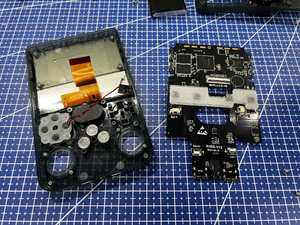
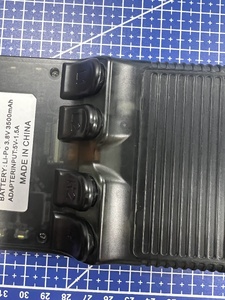

Solder new tactile/silent switches


What kind of tactile switches does the R36S use

D-pad and Buttons Fix / Improvement
R36S Teardown & DPAD/Button Fix
R36S D-pad: 3-minute fix challenge
R36S Disassembly Tips - Improve Buttons
Joystick Mods
R36S | Hall Effect Joystick Upgrade | Tutorial
Change / Upgrade R36S CONTROLS: Hall Effect
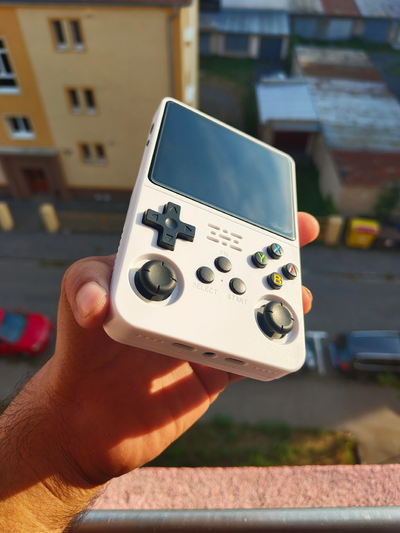
Small upgrade of analog sticks
CAD models and 3D printing files
Lots of different 3D models on Printables.com
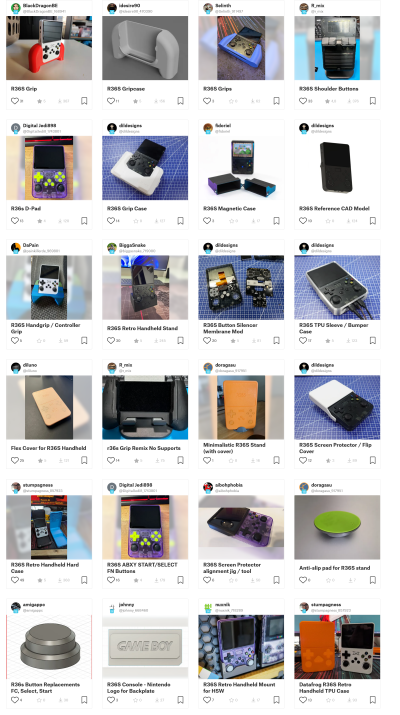
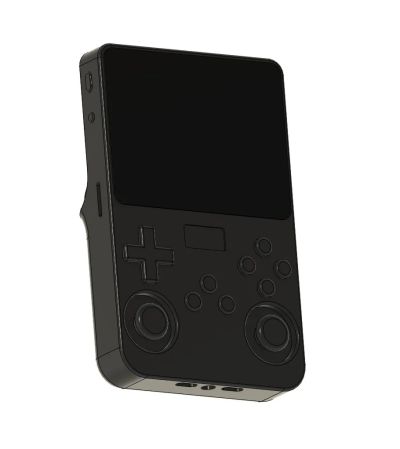
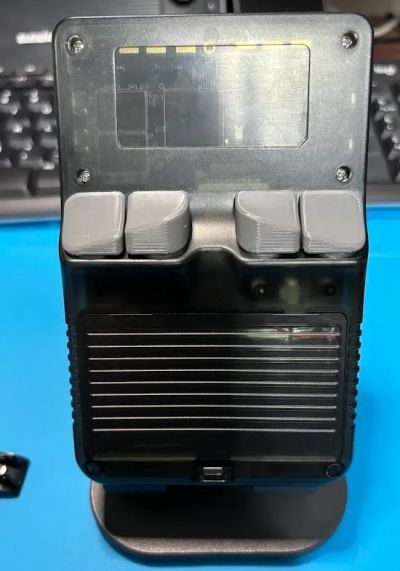
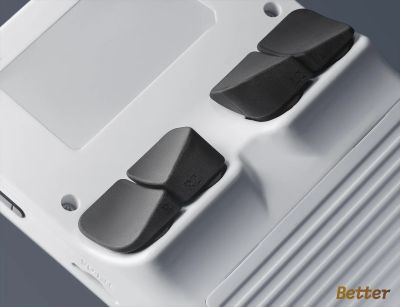


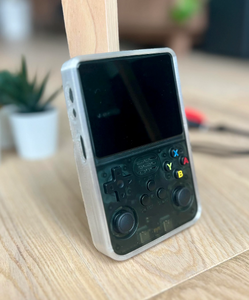


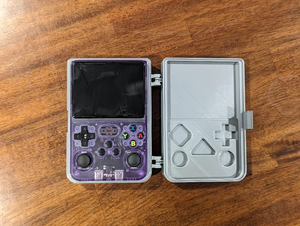
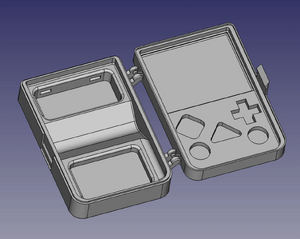

Full case replacement for R36S by firezenk

Improved buttons by aggrohaze88
3D printed hand held stand by dovgro


Free R36S D-pad collection by firezenk



Rumble / Vibration Motor


Rumble motor, heatsink and wrist cord
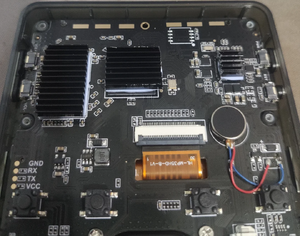

R35S / R36S Vibration Motor Mod
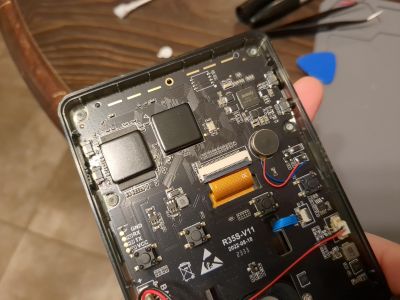
Enable RUMBLE / VIBRATION on R36S and R35S for $1!
internal usb uart console mod
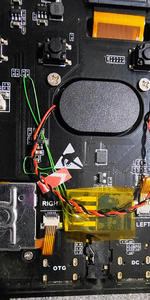
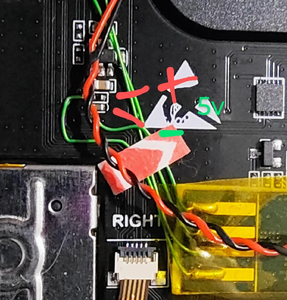
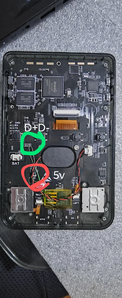
in a very hacker friendly move, the manufacturer provided test points for the usb D+/D- data lines of the charging port on the PCB. this allows to add internal usb hardware that can be connected to a PC by connecting a normal usb A to C cable to the charging port. (which will still charge the R36S at the same time.) the test points are on the "bottom" side of the pcb, you have to remove the board from the case to access them.
i used this to add an usb uart adapter that gives convenient access the serial console. (this will for some people/situations be more convenient than plugging in a usb keyboard or using wifi+ssh.)
i opted for a tiny usb uart module from aliexpress because it's neater, but you can also remove the usb connector of any other one. beware that the uart side must use 3.3V signals (not 5V). this is pulling the 3.3V power supply from the uart test points on the R36S (note that i set the jumper on the module to 3V input), which has the downside that the usb device only registers on the host when the R36S is powered up. if i were to do this again i would find a point to grab to the supply 5V from the charging port instead.


Heatsink Mods
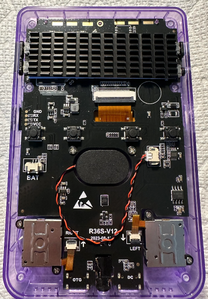
R36S heatsink mod and thermal performance testing
Performance data collector for R36S consoles

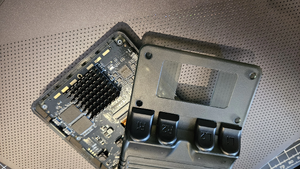


One week with R36S. Upgrades/mods/plans
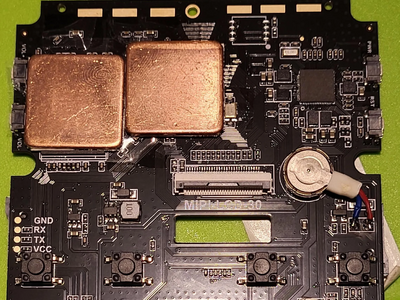
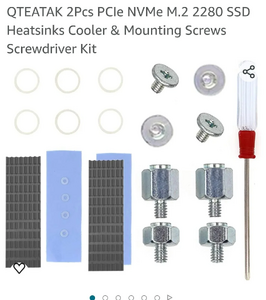

I installed a M2 heatsink on my R36S chipset. Fits perfect
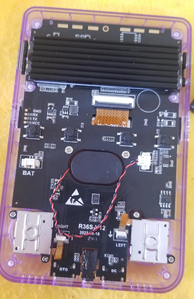

Heatsink mod shown by U/kingElec

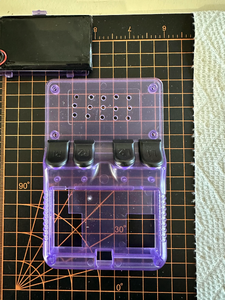

Misc Mods
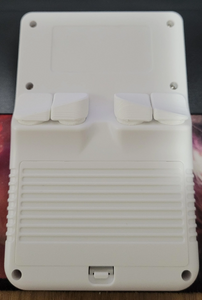
All white mod is coming together nicely

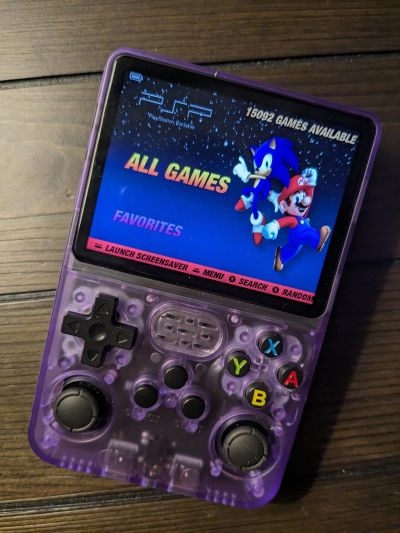
console modded without spending a dollar


The best R36S mod is black tape over the blue light.
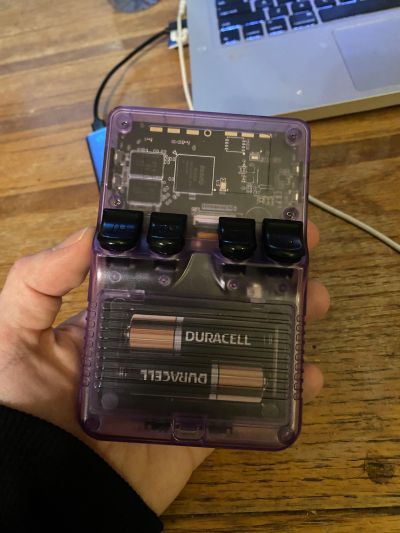
Tried my hand at a battery wrap design


[Cardboard box Grip]

Highlight Buttons and Slots with marker
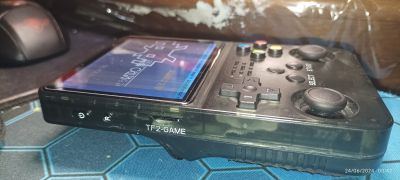


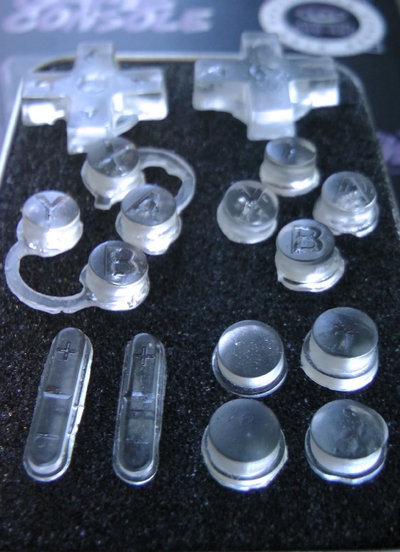
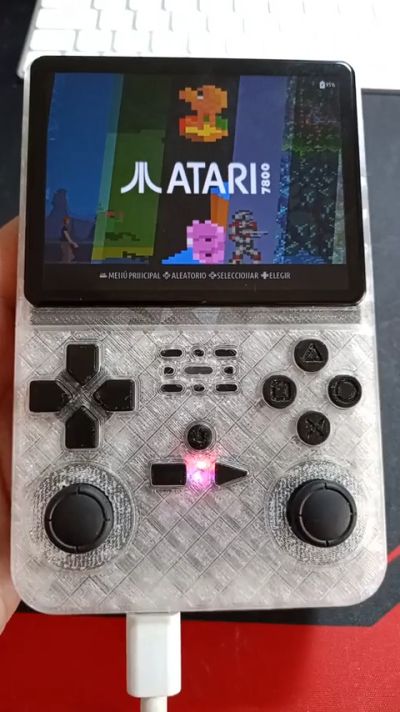
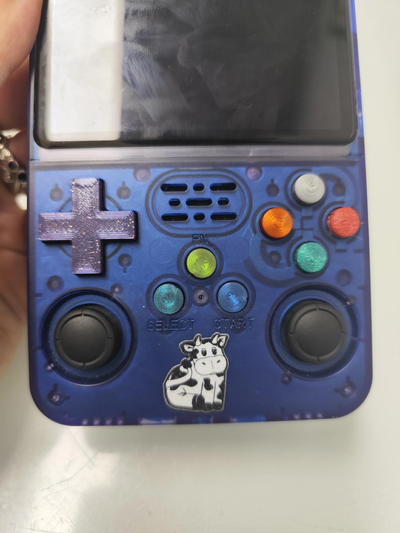
Multiple mods by DimensionOk3304
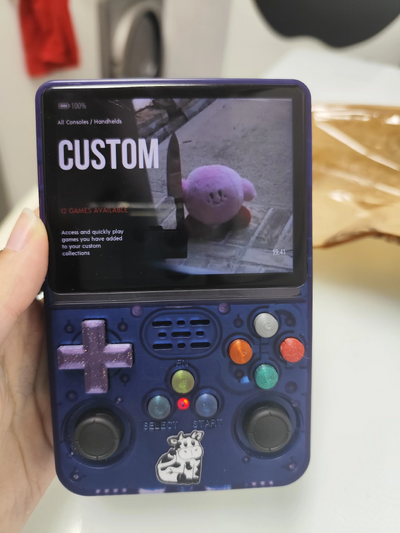
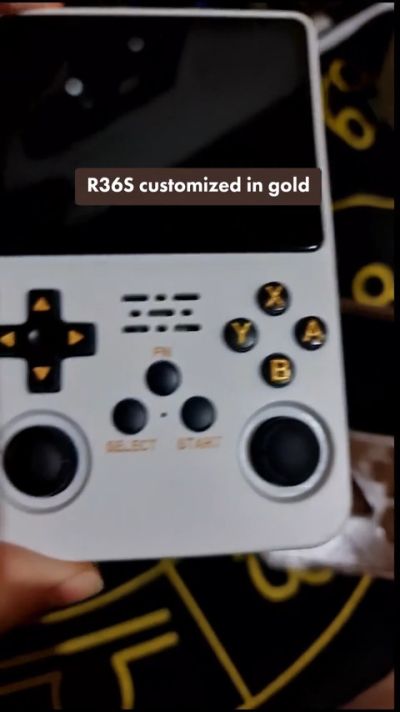
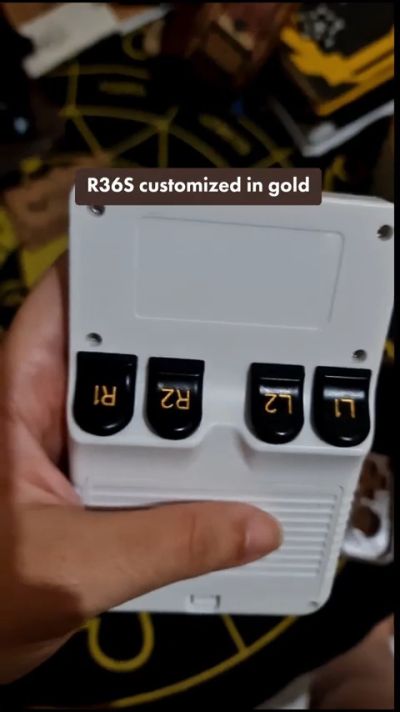
R36s customized with gold details by jessikarochas
R36S lettering Paint tutorial by danewlo
Other Projects at the Handhelds Wiki







