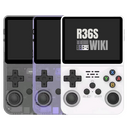
R36XX: Difference between revisions
From Handhelds Wiki
Jump to navigationJump to search
HandheldWiki (talk | contribs) No edit summary |
HandheldWiki (talk | contribs) No edit summary |
||
| Line 147: | Line 147: | ||
The R36XX uses the Panel 4 (V5) version from the R36S, so choose your firmware and DTB version accordingly. | The R36XX uses the Panel 4 (V5) version from the R36S, so choose your firmware and DTB version accordingly. | ||
=== AmberELEC === | |||
* Change dtb file on the boot partition to this: https://github.com/tech4bot/r35s/tree/main/new_displays/panel4 | |||
=== ArkOS and ArkOS - R3XS === | |||
* Choose R36H/R33S as the device type in the Options Menu (for fixing the missing FN hotkey button) | |||
* [https://www.reddit.com/r/R36S/comments/1hzsaze/reconfiguring_hotkey_on_r36h_for_arkos/ Reconfiguring "Hotkey" on R36H for ArkOS] | |||
=== ROCKNIX === | |||
* The R36XX is '''not officially supported''', but the R36S is officially supported. The R36S image works on the R36XX. | |||
* Once you write the Rocknix image to an SD card, open the ROCKNIX partition, create a folder named "overlays" and copy the correct dtbo file for your screen to the overlays folder. Then rename the dtb file to "mipi-panel.dtbo" | |||
* For more information on the dtbo file, see the Rocknix doc page for the R36S: https://rocknix.org/devices/unbranded/game-console-r35s-r36s/#new-displays-r36s-of-year-2024 | |||
=== UnofficialOS === | |||
*Follow the instructions on the [https://github.com/RetroGFX/UnofficialOS/wiki/Clone-and-R3xS-Instructions UnofficialOS Wiki] | |||
<div class="responsive-table-2col-container"> | <div class="responsive-table-2col-container"> | ||
{{CFW:AmberELEC}} | {{CFW:AmberELEC}} | ||
Revision as of 06:59, 29 June 2025
Specification
| R36XX | |
|---|---|
 | |
| Specification | |
| Release Date | 03/2025 |
| Form Factor | Vertical |
| SoC | Rockchip RK3326 |
| CPU | ARM Cortex-A35 - 4 CPU cores, 4 threads (1.3 GHz - 1.5 GHz) |
| GPU | Mali G31 MP2 (650 MHz) |
| RAM | 1 GB DDR3L |
| Screen Size | 3.5" |
| Resolution | 640x480 |
| Aspect Ratio | 4:3 |
| Screen Type | IPS |
| OS | Linux |
| Internal Storage | no |
| External Storage | 2x microSD |
| WiFi | yes |
| Bluetooth | no |
| Video Output | no |
| 3.5mm Audio Jack | yes |
| Battery | 3000mAh |
| Pros & Cons of the R36XX | |
|---|---|
| ✅ Pros | ❌ Cons |
|
|
Performance
SNES GBA PS1 NDS PSP N64 DC Saturn GC PS2 3DS Wii
Price
~40$
AliExpress link1 : https://s.click.aliexpress.com/e/_oB5WD1F
AliExpress link US 🇺🇸1: https://s.click.aliexpress.com/e/_o2cEynL
1 Buying through these affiliate links helps support the wiki. Your price stays the same. Commissions go toward devices, testing, documentation, and server costs.
Colors


More Images


Packaging
-

R36XX from Classic Game Store (June 8th, 2025)

R36S vs R36XX vs R36Plus vs R36H
For a comparison between these devices, visit this link:

More Information
Very good button, feel very good, with wifi version can watch video online
Script to enable and disable wifi on R36XX: GitHub - Reddit discussion
Videos
Firmware
ℹ️
Info
ArkOS - R3XS is recommended
The R36XX uses the Panel 4 (V5) version from the R36S, so choose your firmware and DTB version accordingly.
AmberELEC
- Change dtb file on the boot partition to this: https://github.com/tech4bot/r35s/tree/main/new_displays/panel4
ArkOS and ArkOS - R3XS
- Choose R36H/R33S as the device type in the Options Menu (for fixing the missing FN hotkey button)
- Reconfiguring "Hotkey" on R36H for ArkOS
ROCKNIX
- The R36XX is not officially supported, but the R36S is officially supported. The R36S image works on the R36XX.
- Once you write the Rocknix image to an SD card, open the ROCKNIX partition, create a folder named "overlays" and copy the correct dtbo file for your screen to the overlays folder. Then rename the dtb file to "mipi-panel.dtbo"
- For more information on the dtbo file, see the Rocknix doc page for the R36S: https://rocknix.org/devices/unbranded/game-console-r35s-r36s/#new-displays-r36s-of-year-2024
UnofficialOS
- Follow the instructions on the UnofficialOS Wiki
| AmberELEC | ||
|---|---|---|

| ||
| Latest version | 
| |
| Download | ⬇️ GitHub | |
| Documentation / FAQ | Getting Started Guide | |
| Hotkeys | Controls & Hotkeys Reference | |
| Officially Supported Devices |
| |
| ArkOS | ||
|---|---|---|
 | ||
| Latest version | 
| |
| Download | ⬇️ GitHub | |
| Documentation / FAQ | ArkOS Wiki & Setup Guide | |
| Hotkeys | Global & Emulator Hotkeys | |
| Officially Supported Devices |
| |
| ArkOS - R3XS | ||
|---|---|---|
 | ||
| Latest version | 
| |
| Download | ⬇️ GitHub | |
| Documentation / FAQ | ArkOS Wiki & Setup Guide | |
| Hotkeys | Global & Emulator Event Keys | |
| Officially Supported Devices |
| |
| MyMinUI | ||
|---|---|---|

| ||
| Latest version | 
| |
| Download | ⬇️ GitHub | |
| Documentation / FAQ | Instructions are included in the download | |
| Hotkeys | Instructions are included in the download | |
| Officially Supported Devices |
| |
| PAN4ELEC | |
|---|---|

| |
| Latest version | 
|
| Download | ⬇️ GitHub |
| Documentation / FAQ | Getting Started Guide |
| Hotkeys | GitHub and AmberELEC Controls & Hotkeys Reference |
| Officially Supported Devices | |


| UnofficialOS | ||
|---|---|---|
 | ||
| Latest version | 
| |
| Download | ⬇️ GitHub Releases | |
| Documentation / FAQ | UnofficialOS Wiki | |
| Hotkeys | Hotkeys and Button Codes | |
| Officially Supported Devices |
| |
Other Projects at the Handhelds Wiki