R36S Bootlogos and Loading Screens: Difference between revisions
HandheldWiki (talk | contribs) No edit summary |
HandheldWiki (talk | contribs) |
||
| Line 229: | Line 229: | ||
{{SectionStyleStart}} | {{SectionStyleStart}} | ||
== MP4 loading videos == | == MP4 loading videos == | ||
[[File:Vhsstyler36sarkos1.mp4|loop|autoplay|300px]] | |||
[[File:mp4 animation R36S wiki loading 1.mp4|loop|autoplay|300px]] | [[File:mp4 animation R36S wiki loading 1.mp4|loop|autoplay|300px]] | ||
[[File:mp4 animation R36S wiki loading 2.mp4|loop|autoplay|300px]] | [[File:mp4 animation R36S wiki loading 2.mp4|loop|autoplay|300px]] | ||
| Line 274: | Line 274: | ||
{{SectionStyleEnd}} | {{SectionStyleEnd}} | ||
{{SectionStyleStart}} | {{SectionStyleStart}} | ||
== Bootlogos and Loading Images == | == Bootlogos and Loading Images == | ||
<gallery widths="300" heights="300" perrow="5"> | <gallery widths="300" heights="300" perrow="5"> | ||
Revision as of 09:41, 29 May 2025
Understanding R36S / ArkOS boot sequence
The standard boot sequence (shown here) of a R36S is completely customizable.
- Boot Logo
- Plymouth Theme
- EmulationStation loading screen
If you are comfortable with "hacking together your own systemd service file", you can even run a custom video including sound during boot.
Example - PSX Logo + sound during boot: https://imgur.com/a/OT4M0iv
Guide: https://www.reddit.com/r/R36S/comments/1h5xvgm/boot_sound/
Bootlogo and Loading Screen Mega Pack
Download link #1: https://www.mediafire.com/file/n98y9q9rux2t7wf/R36S_Bootlogo_and_loading_screens_pack_october_2024.zip/file
- 344 .bmp files
- 41 .gif files
- 9 .ascii files
Download link #2 (mp4 loading screens): https://www.mediafire.com/file/x890zdpyo9pp7fc/R36S+mp4+loading+screens.zip/file
- 41 .mp4 files
Download link #3 (gif loading screens): https://www.mediafire.com/file/zhi9xmgs5ihctu9/80+loading+gifs+november+10+2024.zip/file
- 80 .gif files
All files are in 4:3 aspect ratio, 640x480 or 1024x768 resolution and should work fine for similar handheld devices. Gif and mp4 files can be downloaded individually below.
Guide
Loading images (.jpg, .gif, .mp4, .ascii) are located on the EASYROMS partition (easyroms/launchimages/loading.*). You need to rename the animated gifs or mp4 videos to loading.gif/mp4. If you want to use a normal image you could save the .bmp files as a .jpg file with paint for example, and replace the loading.jpg in the launchimages folder.
-

Use this option to enable animated loading screens (.gif or .mp4) -

Use this option to enable animated loading screens (.gif or .mp4) -

ArkOS UI settings -

Choose between a normal picture, ascii or disable loading screens


Boot images are located on the BOOT partition. It's possible to cycle through different images if you put them in the BMPs folder.
Here's a short video guide: ArkOS - How to replace loading image and bootscreen
Plymouth Theme + EmulationStation logo
It's possible to change the "Plymouth theme" and the EmulationStation logo during boot. Phafael has made a guide on his GitHub account:
Plymouth Theme Selector
-

ArkOS standard plymouth theme

Reddit thread / guide: https://www.reddit.com/r/R36S/comments/1gnri3v/plymouth_theme_selector/
Download: https://drive.google.com/file/d/1SR_N3XlwQMJTkAR9RnmhG-ZfZOk_3vwq/view?usp=sharing


Here is a nice explanation by Constant-Might521 about the boot process and Plymouth themes.
Change Bootlogo on PAN4ELEC and AmberELEC
Changing bootlogos and loading screens is not supported on PAN4ELEC and AmberELEC. You can only change the EmulationStation loading screen.
Source: redditto change the logo after the splash screen you will have to connect your console in ssh and go to: storage/.config/emulationstation/resources. The file is logo.png and is 640x480 in size
Animated Loading GIFs (Download link #1)


Animated Loading GIFs (Download link #3)


MP4 loading videos
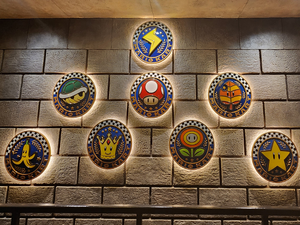
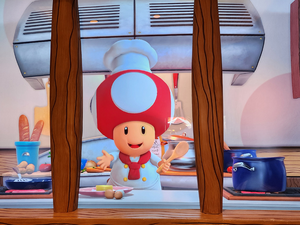
Bootlogos and Loading Images
-

-

-
-

-

-

-

-

-

-

-

-

-

-

-

-

-

-

-

-

-

-

-

-

-

-

-

-

-

-

-

-

-

-

-

-

-

-

-

-

-

-

-

-

-

-

-
-

-

-

-

-

-

-

-

-

-

-

-

-

-

-

-

-

-

-

-

-

-

-

-

-

-

-

-

-

-

-

-

-

-

-

-

-

-

-

-

-

-

-

-

-

-

-

-

-

-

-

-

-

-

-

-

-

-

-

-

-

-

-

-

-

-

-

-

-

-

-

-

-

-

-

-

-

-

-

-

-

-

-

-

-

-

-

-

-

-

-

-

-

-

-

-

-

-

-

-

-

-

-

-

-

-

-

-
-

-

-

-

-
-

-
-

-

-

-

-

-

-
-

-

-
-

-

-
-

-

-

-

-

-

-

-

-

-

-

-

-

-

-

-

-

-

-
-

-

-
-

-

-

-

-

-

-

-

-

-

-

-

-

-

-

-

-

-

-

-

-

-

-

-

-

-

-

-

-

-

-

-

-

-

-

-

-

-

-

-

-

-

-

-

-

-

-

-

-

-

-

-

-

-

-

-

-

-

-

-

-

-

-

-

-

-

-

-

-

-

-

-

-

-

-

-

-

-

-

-

-

-

-

-

-

-

-

-

-

-

-

-

-

-

-

-

-

-

-

-

-

-

-

-

-

-

-

-

-

-

-

-

-

-

-

-

-

-

-

-

-

-

-

-

-

-

-

-

-

-

-

-

-

-

-

-

-

-

-

-

-

-

-

-

-

-

-

-

-

-

-

-

-

-

-

-

-

-
 Red China poster


More Bootlogos and Loading Images
https://www.reddit.com/r/R36S/comments/1g7al3y/boot_image_loading_pack/
Sources
https://www.reddit.com/r/R36S/comments/1fun4xr/boot_images_for_r36s/
https://drive.google.com/drive/folders/1CZev94sI0XL-V6MnUudIBIsMbQ817bLj
https://github.com/t0b10-t3nm4/ArkOS-Loading-Screens
https://www.rg35xx.com/en/customization/boot-logos/
https://www.reddit.com/r/R36S/comments/1eval8b/151_pok%C3%A9mon_boot_screens_for_r36s_640x480_all/
https://www.reddit.com/r/R36S/comments/1fhesrg/hi_ive_created_some_boot_images_for_the_r36s_in/
https://www.reddit.com/r/handheldhub/
https://reddit.com/r/R36S/comments/1drl88c/my_loading_screen_collection/
https://www.reddit.com/r/R36S/comments/1c014rr/custom_boot_logos_for_purple_devices/
https://www.reddit.com/r/R36S/comments/1c3ncqe/gif_loading_files_update_ark_os_first_before_using/
https://github.com/manster-zz/R36S-LINKS/tree/main/boot%20logos
https://www.reddit.com/r/R36S/comments/1dm6s64/comment/l9vbiey/
https://www.reddit.com/r/R36S/comments/1c0h8g9/spiderman_r36s_custom_boot_logo/
https://www.reddit.com/r/R36S/comments/1e8b726/r36s_arkos_yoshis_island_boot_custom_image/
https://www.reddit.com/r/R36S/comments/1apr1o2/comment/kq86jxg/
https://www.reddit.com/r/R36S/comments/1ftqtgi/custom_boot_and_load_images/
https://www.demilked.com/gif-animations-replace-loading-screen/
https://digitalsynopsis.com/design/loading-animations-preloader-gifs-ui-ux-effects/
https://codemyui.com/tag/loading-animation/
https://www.fable.app/blog/top-5-ux-loading-animations
https://github.com/adi1090x/plymouth-themes?tab=readme-ov-file
Other Projects at the Handhelds Wiki






