R36H ProMax
| R36H ProMax | |
|---|---|
 | |
| Specification | |
| Brand | Manufacturers: Other |
| Release Date | 10/2025 |
| Form Factor | Horizontal |
| SoC | RK3326 |
| RAM | 1GB |
| Screen Size | 4" |
| Resolution | 1024x768 |
| Aspect Ratio | 4:3 |
| Screen Type | IPS |
| OS | Linux |
| WiFi | Yes |
| Video Output | None |
| 3.5mm Audio Jack | Yes |
| Battery | 3500mAh |
| Pros & Cons of the R36H ProMax | |
|---|---|
| ✅ Pros | ❌ Cons |
|
|
Performance[edit]
SNES GBA PS1 NDS PSP N64 DC Saturn GC PS2 3DS Wii
These compatibility lists should apply to all devices with the Rockchip RK3326.
Big thanks to Batou for all the work he has put into this!
https://github.com/GazousGit/R36S-Game-Compatibility-Lists
- Atomiswave ~43%
- Dreamcast ~59%
- Nintendo 64 ~63%
- Nintendo DS ~80%
- Sega Saturn ~47%
- Sony PSP ~75%
|
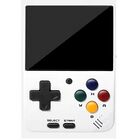


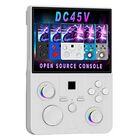


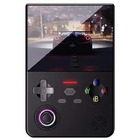


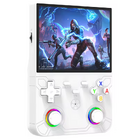


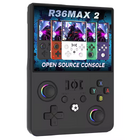


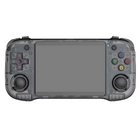
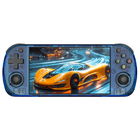


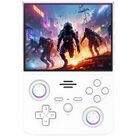






Price[edit]
~$40
Get the R36H ProMax:
1 Buying through these affiliate links helps support the wiki. Your price stays the same. Commissions go toward devices, testing, documentation, and server costs.
Colors[edit]


Hardware Revision[edit]
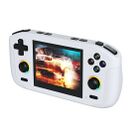
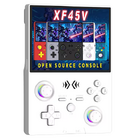
Newer models have round start and select buttons, different grip surface and the SD card slots are labelled wrong. They somehow messed up the marking on the plastic shell. TF2-GAME slot is actually the operating system (TF1-OS) slot.


Disassembly and Shoulder Buttons Fix[edit]
This is how to fix the broken shoulder button that lots of people are reporting out of the box.
-

Remove the 4 back screws and gently disassemble the front and back shell (with a guitar pick or your fingernails). Then disconnect the battery connector. -

Closer look at the mainboard -

Closer look at the SoC and RAM chips -

Closer look at the mainboard number -

Time to remove the shoulder buttons


Here's how to remove the L2/R2 buttons:


It's finally clicking again!
Re-assembling:

Final test:
The noise and stiffness of the shoulder buttons isn't 100% equal, but everything is working again and I can finally enjoy this little budget handheld.
R36H ProMax vs R46H[edit]
Blue device is the R36H ProMax. Black device is the R46H.
-

R36H ProMax (StockOS) vs R46H (ArkOS RG351MP) -

R36H ProMax vs R46H - You can swap the SD cards between these two -

R36H ProMax vs R46H -

R36H ProMax vs R46H -

R36H ProMax vs R46H -

R36H ProMax vs R46H -

R36H ProMax vs R46H


More Information[edit]
Internal name is R45H, but aliexpress sellers have them listed as R46H PRO, R36HPROMAX or R36H ProMax.
Might have the same mainboard as the R42pro.
Has an FN button unlike the R46H.
Manual[edit]

Packaging[edit]

Videos[edit]
Firmware[edit]
StockOS[edit]
Boot partition "R40XX-OS 64G" files: ⬇️ R40XX-OS 64G BOOT partition files
Stock OS firmware image: ⬇️ R46H 测试卡 16G .img (14.44 GB)

- WiFi works fine
- Portmaster works fine
- Scraper is not working (restarts EmulationStation)
- FN Button does not work (not recognized in RetroArch)
- Has the Game Console Factory Test Suite
- R4XX-ALEKFULL-SOLO-ARKOS is the standard theme
ArkOS[edit]
Use the RG351MP version. Mirror: MediaFire.
FN button is currently not supported. For fixing wifi, use the two dtb files below.
Boots fine after changing the rg351mp-kernel.dtb file and rk3326-rg351mp-linux.dtb from here: ⬇️ dtb files @MediaFire
| ArkOS | ||
|---|---|---|
 | ||
| Latest version | 
| |
| Download | ⬇️ GitHub | |
| Documentation / FAQ | ArkOS Wiki & Setup Guide | |
| Hotkeys | Global & Emulator Hotkeys | |
| Officially Supported Devices |
| |
dArkOS[edit]
Use the RG351MP version.
FN button is currently not supported.
Boots fine after changing the rg351mp-uboot.dtb file and rk3326-rg351mp-linux.dtb from ArkOS R3XS or here: ⬇️ dtb files MediaFire
WiFi fix here: MediaFire. Put it in EASYROMS\tools folder, run and wait. Wifi-toggle also works.
| dArkOS | ||
|---|---|---|
| ||
| Latest version | 
| |
| Download | ⬇️ GitHub | |
| Documentation / FAQ | dArkOS Wiki & Setup Guide | |
| Hotkeys | Global & Emulator Hotkeys | |
| Officially Supported Devices |
| |
ArkOS R3XS[edit]
Community maintained ArkOS version for the most popular "Game Console" handhelds. Use the R46H / R45H / R42 PRO / R40XX / R40XX Pro Max version.
FN button is currently not supported.
| ArkOS - R3XS | ||
|---|---|---|
 | ||
| Latest version | 
| |
| Download | ⬇️ GitHub | |
| Documentation / FAQ | ArkOS Wiki & Setup Guide | |
| Hotkeys | Global & Emulator Event Keys | |
| Officially Supported Devices |
| |
UnofficialOS[edit]
UnofficialOS (uOS) is a community developed Linux distribution for handheld gaming devices. Use the R46H / R45H / R40XX / R40XX ProMax overlay.


AndR36oid (LineageOS 18.1)[edit]
Use the R46H image.
FN button is currently not supported.


Other Projects at the Handhelds Wiki





