R46H: Difference between revisions
HandheldWiki (talk | contribs) |
HandheldWiki (talk | contribs) No edit summary |
||
| Line 83: | Line 83: | ||
<li style="display: inline-block; vertical-align: top;"> [[File:R46H main menu.jpg|thumb|none|400px]] </li> | <li style="display: inline-block; vertical-align: top;"> [[File:R46H main menu.jpg|thumb|none|400px]] </li> | ||
<li style="display: inline-block; vertical-align: top;"> [[File:R46H theme NES.jpg|thumb|none|400px]] </li> | <li style="display: inline-block; vertical-align: top;"> [[File:R46H theme NES.jpg|thumb|none|400px]] </li> | ||
<li style="display: inline-block; vertical-align: top;"> [[File:R46H all sides.png|thumb|none|400px]] </li> | |||
</ul></div> | </ul></div> | ||
{{SectionStyleEnd}} | |||
{{SectionStyleStart}} | |||
== Disassembly == | |||
<div> | |||
<li style="display: inline-block; vertical-align: top;"> [[File:R46H disassembly1.jpg|thumb|none|400px|Remove the 4 back screws]] </li> | |||
<li style="display: inline-block; vertical-align: top;"> [[File:R46H disassembly2.jpg|thumb|none|400px|To remove the backplate, start from the bottom, then work your way up from the sides]] </li> | |||
<li style="display: inline-block; vertical-align: top;"> [[File:R46H disassembly3.jpg|Use your fingernails or a guitar pick to remove these plastic clips from the front shell|thumb|none|400px]] </li> | |||
<li style="display: inline-block; vertical-align: top;"> [[File:R46H wthout back cover.jpg |thumb|none|400px|The battery is glued to the chips. You can pull it off easily with a little force]] </li> | |||
</div> | |||
{{SectionStyleEnd}} | |||
{{SectionStyleStart}} | |||
== Mainboard == | |||
<div> | |||
<li style="display: inline-block; vertical-align: top;"> [[File:R46H mainboard1.jpg|thumb|none|400px|Mainboard uncovered]] </li> | |||
<li style="display: inline-block; vertical-align: top;"> [[File:R46H mainboard.jpg|thumb|none|400px|Battery adhesive sticker removed]] </li> | |||
<li style="display: inline-block; vertical-align: top;"> [[File:R46H mainboard3.jpg|thumb|none|400px|Closer look at the mainboard]] </li> | |||
<li style="display: inline-block; vertical-align: top;"> [[File:R46H mainboard4.jpg|thumb|none|400px|Two RAM chips and the Rockchip RK3326 SoC]] </li> | |||
</div> | |||
{{SectionStyleEnd}} | |||
{{SectionStyleStart}} | |||
== D-Pad fix == | |||
You can easily adjust the stiffness of the dpad by loosening or tightening this screw. | |||
<div> | |||
<li style="display: inline-block; vertical-align: top;"> [[File:R46H dpad fix screw.jpg|thumb|none|400px]] </li> | |||
<li style="display: inline-block; vertical-align: top;"> [[File:R46H dpad fix.jpg |thumb|none|400px]] </li> | |||
</div> | |||
{{SectionStyleEnd}} | {{SectionStyleEnd}} | ||
{{SectionStyleStart}} | {{SectionStyleStart}} | ||
== Manual == | == Manual == | ||
<div> | <div> | ||
<li style="display: inline-block; vertical-align: top;"> [[File:R46H manual1.webp|thumb|none|400px]] </li> | <li style="display: inline-block; vertical-align: top;"> [[File:R46H manual1.webp|thumb|none|400px]] </li> | ||
Revision as of 13:09, 26 September 2025
| R46H | |
|---|---|
 | |
| Specification | |
| Brand | Manufacturers: Other |
| Release Date | 09 / 2025 |
| Form Factor | Horizontal |
| SoC | RK3326 |
| CPU | Quad-core Cortex-A35 1.5GHz |
| GPU | Mali-G31MP2 520MHZ |
| RAM | 1GB |
| Screen Size | 4" |
| Resolution | 1024x768 |
| Aspect Ratio | 4:3 |
| OS | Linux |
| External Storage | 2x MicroSD |
| WiFi | no, but dongle included |
| Speaker | Stereo? bottom facing |
| 3.5mm Audio Jack | Yes |
| Battery | 3000mAh or 3500mAh |
| Pros & Cons of the R46H | |
|---|---|
| ✅ Pros | ❌ Cons |
|
|
Performance
SNES GBA PS1 NDS PSP N64 DC Saturn GC PS2 3DS Wii
These compatibility lists should apply to all devices with the Rockchip RK3326.
Big thanks to Batou for all the work he has put into this!
https://github.com/GazousGit/R36S-Game-Compatibility-Lists
- Atomiswave ~43%
- Dreamcast ~59%
- Nintendo 64 ~63%
- Nintendo DS ~80%
- Sega Saturn ~47%
- Sony PSP ~75%
|
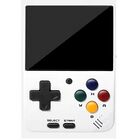


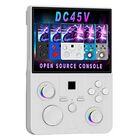


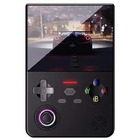


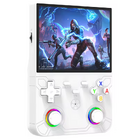

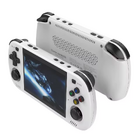



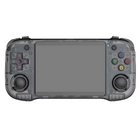
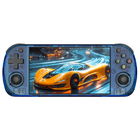


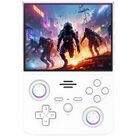


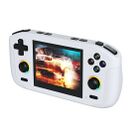


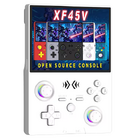


Price
~$40
Get the R46H: AliExpress Factory Game Direct Store1 - AliExpress Zhai Nan Store1 - AliExpress 001 Ali Choice Store1
1 Buying through these affiliate links helps support the wiki. Your price stays the same. Commissions go toward devices, testing, documentation, and server costs.
Colors


More Images


Disassembly


Mainboard


D-Pad fix
You can easily adjust the stiffness of the dpad by loosening or tightening this screw.


Manual

Packaging


R46H vs RG40XX H
Sorry for the poor photo lighting quality.


More Information
It has a 4-inch display. The advertised 4.2-inch size is incorrect.
Videos
R46H promo video from Alibaba claims that the aspect ratio is 3:2, but the 1024x768 resolution is 4:3. It also has built-in wifi according to this video.
Firmware
StockOS
Boot partition "R46H-OS 64GB" files: ⬇️ MediaFire
Scraper is not working (restarts EmulationStation). Controls in PPSSPP emulator are messed up.


Game Console Factory Test Suite
This tool can be found on the stock OS under OPTIONS. It includes following tests:
- System Information
- Battery Test
- Controller Test (joystick and button test)
- Multiple Screen Color Tests
- Screen Brightness Test
- Speaker Volume Test
- Aging Test (time can be set in hours - video of the repeating test sequence is below)

On ArkOS R3XS this tool only partially works after installing a few required files. Device + SoC does not get detected, Speaker Test and Aging Test are not working, but the other tests work fine. Here are the packages you need to install via ssh to start the tool (copied from ChatGPT after some troubleshooting).
sudo apt update
sudo apt install \
    libqt5core5a \
    libqt5gui5 \
    libqt5widgets5 \
    libqt5multimedia5 \
    libqt5multimediawidgets5 \
    libqt5multimedia5-plugins \
    libqt5gamepad5 \
    libqt5network5 \
    libqt5concurrent5 \
    libqt5xml5
ArkOS - R3XS
Boots after changing the content on the BOOT partition with these files: ⬇️ R46H-OS 64GB @MediaFire
Currently testing...
| ArkOS - R3XS | ||
|---|---|---|
 | ||
| Latest version | 
| |
| Download | ⬇️ GitHub | |
| Documentation / FAQ | ArkOS Wiki & Setup Guide | |
| Hotkeys | Global & Emulator Event Keys | |
| Officially Supported Devices |
| |
Other Projects at the Handhelds Wiki





