R36H ProMax: Difference between revisions
HandheldWiki (talk | contribs) |
HandheldWiki (talk | contribs) No edit summary |
||
| Line 22: | Line 22: | ||
{{ProsConsTable | {{ProsConsTable | ||
|pros= | |pros= | ||
* | * Plastic feels nice | ||
* | * Cheap price | ||
* Big screen | |||
|cons= | |cons= | ||
* | * Poor quality control (my device came with a broken R1 button) | ||
}} | }} | ||
{{SectionStyleEnd}} | {{SectionStyleEnd}} | ||
| Line 51: | Line 51: | ||
{{SectionStyleEnd}} | {{SectionStyleEnd}} | ||
{{SectionStyleStart}} | {{SectionStyleStart}} | ||
== Colors == | == Colors == | ||
| Line 67: | Line 66: | ||
{{SectionStyleEnd}} | {{SectionStyleEnd}} | ||
{{SectionStyleStart}} | {{SectionStyleStart}} | ||
== More Images == | == More Images == | ||
| Line 86: | Line 84: | ||
{{SectionStyleEnd}} | {{SectionStyleEnd}} | ||
{{SectionStyleStart}} | {{SectionStyleStart}} | ||
== Manual == | |||
<div> | |||
<li style="display: inline-block; vertical-align: top;"> [[File:R36H ProMax manual.png|thumb|none|400px|Included manual]] </li> | |||
</div> | |||
{{SectionStyleEnd}} | |||
{{SectionStyleStart}} | |||
== Packaging == | |||
<div> | |||
<li style="display: inline-block; vertical-align: top;"> [[File:R36H ProMax packaging.jpg|thumb|none|400px]] </li> | |||
</div> | |||
{{SectionStyleEnd}} | |||
{{SectionStyleStart}} | |||
== Videos == | == Videos == | ||
<youtube width="400">https://www.youtube.com/watch?v=c4kXXU6yxZo</youtube> | |||
{{SectionStyleEnd}} | {{SectionStyleEnd}} | ||
| Line 102: | Line 114: | ||
<div> | <div> | ||
<li style="display: inline-block; vertical-align: top;"> [[File:R36H ProMax bootlogo.jpg|thumb|none|400px| | <li style="display: inline-block; vertical-align: top;"> [[File:R36H ProMax bootlogo.jpg|thumb|none|400px|R36H ProMax bootlogo - "RETROID BOY"]] </li> | ||
</div> | </div> | ||
| Line 108: | Line 120: | ||
Use the RG351MP version. Mirror: [https://www.mediafire.com/file/cfftnnmpadywopn/ArkOS_RG351MP_v2.0_12242024.img.xz/file MediaFire]. | Use the RG351MP version. Mirror: [https://www.mediafire.com/file/cfftnnmpadywopn/ArkOS_RG351MP_v2.0_12242024.img.xz/file MediaFire]. | ||
Has better compatibility than ArkOS - R3XS. | Has better compatibility than ArkOS - R3XS. FN button is currently not supported | ||
Boots fine after changing the boot.ini file and adding the gameconsole_linux.dtb from the stock SD card. These files are available here: [https://www.mediafire.com/file/1g2hx7lmiwj35nj/R40XX-OS+64G.7z/file ⬇️ R46H-OS 64GB @MediaFire] | Boots fine after changing the boot.ini file and adding the gameconsole_linux.dtb from the stock SD card. These files are available here: [https://www.mediafire.com/file/1g2hx7lmiwj35nj/R40XX-OS+64G.7z/file ⬇️ R46H-OS 64GB @MediaFire] | ||
Revision as of 05:52, 2 November 2025
| R36H ProMax | |
|---|---|
 | |
| Specification | |
| Brand | Manufacturers: Other |
| Release Date | 10/2025 |
| Form Factor | Horizontal |
| SoC | RK3326 |
| RAM | 1GB |
| Screen Size | 4" |
| Resolution | 1024x768 |
| Aspect Ratio | 4:3 |
| Screen Type | IPS |
| OS | Linux |
| WiFi | Yes |
| Video Output | None |
| 3.5mm Audio Jack | Yes |
| Battery | 3500mAh |
| Pros & Cons of the R36H ProMax | |
|---|---|
| ✅ Pros | ❌ Cons |
|
|
Performance
SNES GBA PS1 NDS PSP N64 DC Saturn GC PS2 3DS Wii
These compatibility lists should apply to all devices with the Rockchip RK3326.
Big thanks to Batou for all the work he has put into this!
https://github.com/GazousGit/R36S-Game-Compatibility-Lists
- Atomiswave ~43%
- Dreamcast ~59%
- Nintendo 64 ~63%
- Nintendo DS ~80%
- Sega Saturn ~47%
- Sony PSP ~75%
|
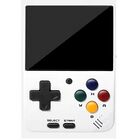


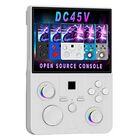


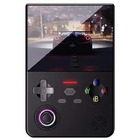


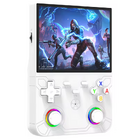

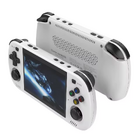

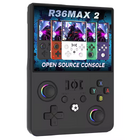


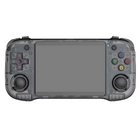



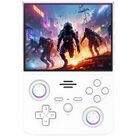


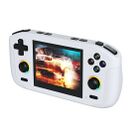


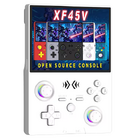


Price
~$40
Get the R36H ProMax:
1 Buying through these affiliate links helps support the wiki. Your price stays the same. Commissions go toward devices, testing, documentation, and server costs.
Colors


More Images

More Information
Name is R45H, but aliexpress sellers have them listed as R46H PRO or R36HPROMAX.
Might have the same mainboard as the R42pro.
Has an FN button unlike the R46H.
Manual

Packaging

Videos
Firmware
StockOS
Boot partition "R40XX-OS 64G" files: ⬇️ R40XX-OS 64G BOOT partition files

ArkOS
Use the RG351MP version. Mirror: MediaFire.
Has better compatibility than ArkOS - R3XS. FN button is currently not supported
Boots fine after changing the boot.ini file and adding the gameconsole_linux.dtb from the stock SD card. These files are available here: ⬇️ R46H-OS 64GB @MediaFire
| ArkOS | ||
|---|---|---|
 | ||
| Latest version | 
| |
| Download | ⬇️ GitHub | |
| Documentation / FAQ | ArkOS Wiki & Setup Guide | |
| Hotkeys | Global & Emulator Hotkeys | |
| Officially Supported Devices |
| |
Other Projects at the Handhelds Wiki





