R36XX
Specification
| R36XX | |
|---|---|
 | |
| Specification | |
| Release Date | 03/2025 |
| Form Factor | Vertical |
| SoC | Rockchip RK3326 |
| CPU | ARM Cortex-A35 - 4 CPU cores, 4 threads (1.3 GHz - 1.5 GHz) |
| GPU | Mali G31 MP2 (650 MHz) |
| RAM | 1 GB DDR3L |
| Screen Size | 3.5" |
| Resolution | 640x480 |
| Aspect Ratio | 4:3 |
| Screen Type | IPS |
| OS | Linux |
| Internal Storage | no |
| External Storage | 2x microSD |
| WiFi | yes |
| Bluetooth | no |
| Video Output | no |
| 3.5mm Audio Jack | yes |
| Battery | 3000mAh |
| Pros & Cons of the R36XX | |
|---|---|
| ✅ Pros | ❌ Cons |
|
|
Performance
SNES GBA PS1 NDS PSP N64 DC Saturn GC PS2 3DS Wii
These compatibility lists should apply to all devices with the Rockchip RK3326.
Big thanks to Batou for all the work he has put into this!
https://github.com/GazousGit/R36S-Game-Compatibility-Lists
- Atomiswave ~43%
- Dreamcast ~59%
- Nintendo 64 ~63%
- Nintendo DS ~80%
- Sega Saturn ~47%
- Sony PSP ~75%
|
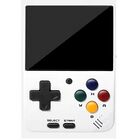


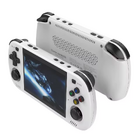


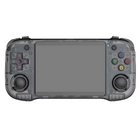



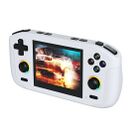


Price
~40$
AliExpress link1 : https://s.click.aliexpress.com/e/_oB5WD1F
AliExpress link US 🇺🇸1: https://s.click.aliexpress.com/e/_o2cEynL
1 Buying through these affiliate links helps support the wiki. Your price stays the same. Commissions go toward devices, testing, documentation, and server costs.
Colors


More Images


Packaging
-

R36XX from Classic Game Store (June 8th, 2025)

R36S vs R36XX vs R36Plus vs R36H
For a comparison between these devices, visit this link:

More Information
Script to enable and disable wifi on R36XX: GitHub - Reddit discussion
Videos
Firmware
The R36XX uses the Panel 4 (V5) version from the R36S, so choose your firmware and DTB version accordingly.
AmberELEC
- Change dtb file on the boot partition to this: https://github.com/tech4bot/r35s/tree/main/new_displays/panel4
ArkOS and ArkOS - R3XS
- Choose R36H/R33S as the device type in the Options Menu (for fixing the missing FN hotkey button)
- Reconfiguring "Hotkey" on R36H for ArkOS
ROCKNIX
- The R36XX is not officially supported, but the R36S is officially supported. The R36S image works on the R36XX.
- Once you write the Rocknix image to an SD card, open the ROCKNIX partition, create a folder named "overlays" and copy the correct dtbo file for your screen to the overlays folder. Then rename the dtb file to "mipi-panel.dtbo"
- For more information on the dtbo file, see the Rocknix doc page for the R36S: https://rocknix.org/devices/unbranded/game-console-r35s-r36s/#new-displays-r36s-of-year-2024
UnofficialOS
- Follow the instructions on the UnofficialOS Wiki
| AmberELEC | ||
|---|---|---|

| ||
| Latest version | 
| |
| Download | ⬇️ GitHub | |
| Documentation / FAQ | Getting Started Guide | |
| Hotkeys | Controls & Hotkeys Reference | |
| Officially Supported Devices |
| |
| ArkOS | ||
|---|---|---|
 | ||
| Latest version | 
| |
| Download | ⬇️ GitHub | |
| Documentation / FAQ | ArkOS Wiki & Setup Guide | |
| Hotkeys | Global & Emulator Hotkeys | |
| Officially Supported Devices |
| |
| ArkOS - R3XS | ||
|---|---|---|
 | ||
| Latest version | 
| |
| Download | ⬇️ GitHub | |
| Documentation / FAQ | ArkOS Wiki & Setup Guide | |
| Hotkeys | Global & Emulator Event Keys | |
| Officially Supported Devices |
| |
| MyMinUI | ||
|---|---|---|

| ||
| Latest version | 
| |
| Download | ⬇️ GitHub | |
| Documentation / FAQ | Instructions are included in the download | |
| Hotkeys | Instructions are included in the download | |
| Officially Supported Devices |
| |
| PAN4ELEC | |
|---|---|

| |
| Latest version | 
|
| Download | ⬇️ GitHub |
| Documentation / FAQ | Getting Started Guide |
| Hotkeys | GitHub and AmberELEC Controls & Hotkeys Reference |
| Officially Supported Devices | |


| UnofficialOS | ||
|---|---|---|
 | ||
| Latest version | 
| |
| Download | ⬇️ GitHub Releases | |
| Documentation / FAQ | UnofficialOS Wiki | |
| Hotkeys | Hotkeys and Button Codes | |
| Officially Supported Devices |
| |
Other Projects at the Handhelds Wiki