R46H: Difference between revisions
HandheldWiki (talk | contribs) No edit summary |
HandheldWiki (talk | contribs) |
||
| Line 278: | Line 278: | ||
<div> | <div> | ||
<li style="display: inline-block; vertical-align: top;"> [[File:R46H Update1.webp|thumb|none|400px|Go to OPTIONS -> UPDATE]] </li> | <li style="display: inline-block; vertical-align: top;"> [[File:R46H Update1.webp|thumb|none|400px|Go to OPTIONS -> UPDATE]] </li> | ||
<li style="display: inline-block; vertical-align: top;"> [[File:R46H Update2.webp|thumb|none|400px | <li style="display: inline-block; vertical-align: top;"> [[File:R46H Update2.webp|thumb|none|400px|Follow the instructions]] </li> | ||
<li style="display: inline-block; vertical-align: top;"> [[File:R46H Update3.webp|thumb|none|400px|Wait a few minutes]] </li> | <li style="display: inline-block; vertical-align: top;"> [[File:R46H Update3.webp|thumb|none|400px|Wait a few minutes]] </li> | ||
<li style="display: inline-block; vertical-align: top;"> [[File:R46H Update4.webp|thumb|none|400px|Done.]] </li> | <li style="display: inline-block; vertical-align: top;"> [[File:R46H Update4.webp|thumb|none|400px|Done.]] </li> | ||
Revision as of 13:21, 30 September 2025
| R46H | |
|---|---|
 | |
| Specification | |
| Brand | Manufacturers: Other |
| Release Date | 09 / 2025 |
| Form Factor | Horizontal |
| SoC | RK3326 |
| CPU | Quad-core Cortex-A35 1.5GHz |
| GPU | Mali-G31MP2 520MHZ |
| RAM | 1GB |
| Screen Size | 4" |
| Resolution | 1024x768 |
| Aspect Ratio | 4:3 |
| OS | Linux |
| External Storage | 2x MicroSD |
| WiFi | Optional |
| Video Output | None |
| Speaker | Stereo bottom facing |
| 3.5mm Audio Jack | Yes |
| Battery | 3000mAh |
| Extras | USB-C. adapter and wifi dongle are included |
| Pros & Cons of the R46H | |
|---|---|
| ✅ Pros | ❌ Cons |
|
|
Performance
SNES GBA PS1 NDS PSP N64 DC Saturn GC PS2 3DS Wii
These compatibility lists should apply to all devices with the Rockchip RK3326.
Big thanks to Batou for all the work he has put into this!
https://github.com/GazousGit/R36S-Game-Compatibility-Lists
- Atomiswave ~43%
- Dreamcast ~59%
- Nintendo 64 ~63%
- Nintendo DS ~80%
- Sega Saturn ~47%
- Sony PSP ~75%
|
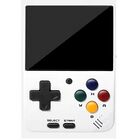


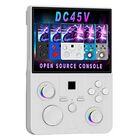


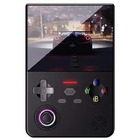


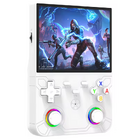

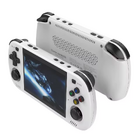



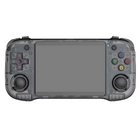
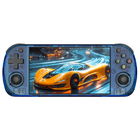


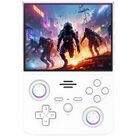


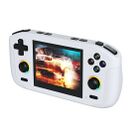


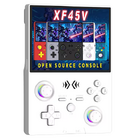


Price
~$40
Get the R46H: AliExpress Factory Game Direct Store1 - AliExpress Zhai Nan Store1 - AliExpress 001 Ali Choice Store1 - Alibaba.com1
1 Buying through these affiliate links helps support the wiki. Your price stays the same. Commissions go toward devices, testing, documentation, and server costs.
Colors


More Images


Disassembly


Mainboard


D-Pad fix
You can easily adjust the stiffness of the dpad by loosening or tightening this screw.


Manual

Packaging


R46H vs RG40XX H
Sorry for the poor photo lighting quality.


More Information
It has a 4-inch display. The advertised 4.2-inch size is incorrect.
Videos
R46H promo video from Alibaba claims that the aspect ratio is 3:2, but the 1024x768 resolution is 4:3. It also has built-in wifi according to this video.
Firmware
StockOS
Boot partition "R46H-OS 64GB" files: ⬇️ MediaFire
Scraper is not working (restarts EmulationStation). Controls in PPSSPP emulator are messed up.


Game Console Factory Test Suite
This tool can be found on the stock OS under OPTIONS. It includes following tests:
- System Information
- Battery Test
- Controller Test (joystick and button test)
- Multiple Screen Color Tests
- Screen Brightness Test
- Speaker Volume Test
- Aging Test (time can be set in hours - video of the repeating test sequence is below)

On ArkOS R3XS this tool only partially works after installing a few required files. Device + SoC does not get detected, Speaker Test and Aging Test are not working, but the other tests work fine. Here are the packages you need to install via ssh to start the tool (copied from ChatGPT after some troubleshooting).
sudo apt update
sudo apt install \
    libqt5core5a \
    libqt5gui5 \
    libqt5widgets5 \
    libqt5multimedia5 \
    libqt5multimediawidgets5 \
    libqt5multimedia5-plugins \
    libqt5gamepad5 \
    libqt5network5 \
    libqt5concurrent5 \
    libqt5xml5
ArkOS
Use the RG351MP version.
Has better compatibility than ArkOS - R3XS. Everything is working fine including Nintendo DS games.
Boots fine after changing the boot.ini file and adding the gameconsole_linux.dtb from the stock SD card. These files are available here: ⬇️ R46H-OS 64GB @MediaFire
| ArkOS | ||
|---|---|---|
 | ||
| Latest version | 
| |
| Download | ⬇️ GitHub | |
| Documentation / FAQ | ArkOS Wiki & Setup Guide | |
| Hotkeys | Global & Emulator Hotkeys | |
| Officially Supported Devices |
| |
ArkOS - R3XS
Boots fine after changing the boot.ini file and adding the gameconsole_linux.dtb from the stock SD card. These files are available here: ⬇️ R46H-OS 64GB @MediaFire
Results after some testing:
- NDS titles only show black screen (sound is working)
- Boot logo is not working
- Everything else is working fine
| ArkOS - R3XS | ||
|---|---|---|
 | ||
| Latest version | 
| |
| Download | ⬇️ GitHub | |
| Documentation / FAQ | ArkOS Wiki & Setup Guide | |
| Hotkeys | Global & Emulator Event Keys | |
| Officially Supported Devices |
| |
Themes
Here's a download link for the themes that are included on the stock SD card: ⬇️ R46H Themes
- R46H-Alekfull-SOLO-ArkOS
- R46H-CODY-DESTROY-main
- R46H-Cyber2077-main
- R46H-simple-theme
- R46H-WOODY-CODY-main
For a preview and more ArkOS themes, visit the R36S Wiki.
Setup Guide
Internet / Wifi Connection


Updating the Firmware


Portmaster
Other Projects at the Handhelds Wiki