R36H: Difference between revisions
HandheldWiki (talk | contribs) |
HandheldWiki (talk | contribs) R36S/R36H Internal WiFi Mod |
||
| (9 intermediate revisions by 3 users not shown) | |||
| Line 3: | Line 3: | ||
|title={{PAGENAME}} Retro Handheld | |title={{PAGENAME}} Retro Handheld | ||
|description=Overview of the {{PAGENAME}} Handheld | |description=Overview of the {{PAGENAME}} Handheld | ||
|keywords=handheld, retro, gaming, cheap, specs, video, review, cfw, firmware, download, compatibility | |keywords=handheld, retro, gaming, cheap, specs, video, review, cfw, firmware, download, compatibility}}{{Movetotop}}{{SectionStyleStart}} | ||
{{Infobox handheld | {{Infobox handheld | ||
|image=R36H black t.png | |image=R36H black t.png | ||
| Line 11: | Line 10: | ||
|Form Factor= | |Form Factor= | ||
|SoC=RK3326 | |SoC=RK3326 | ||
|CPU= | |CPU= Cortex-A35 | ||
|GPU= | |GPU= | ||
|RAM= | |RAM= 1GB DDR3L | ||
|Screen Size=3.5" | |Screen Size=3.5" | ||
|Resolution=640x480 | |Resolution=640x480 | ||
| Line 31: | Line 30: | ||
|Extras= | |Extras= | ||
}} | }} | ||
{{SectionStyleEnd}} | {{SectionStyleEnd}}{{TOC|limit=4}}{{SectionStyleStart}} | ||
{{SectionStyleStart}} | |||
{{ProsConsTable | {{ProsConsTable | ||
|pros= | |pros= | ||
| Line 55: | Line 52: | ||
~$35 | ~$35 | ||
AliExpress link #1<sup>1</sup>: https://s.click.aliexpress.com/e/_ooHlHAN | AliExpress link #1<sup>1</sup>: https://s.click.aliexpress.com/e/_oBTruBr | ||
AliExpress link # | |||
AliExpress link #2<sup>1</sup>: https://s.click.aliexpress.com/e/_ooHlHAN | |||
AliExpress link #3<sup>1</sup>: https://s.click.aliexpress.com/e/_oDzNNo1 | |||
{{Clickable button 3|[[Handheld Buying Guide|↪ Handheld Buying Guide]]}} | {{Clickable button 3|[[Handheld Buying Guide|↪ Handheld Buying Guide]]}} | ||
| Line 64: | Line 64: | ||
{{SectionStyleEnd}} | {{SectionStyleEnd}} | ||
{{SectionStyleStart}} | {{SectionStyleStart}} | ||
== Colors == | == Colors == | ||
| Line 88: | Line 89: | ||
<li style="display: inline-block; vertical-align: top;"> [[File:R36H vs R36S 1.jpg|thumb|none|400px|R36H vs [[R36S]]]] </li> | <li style="display: inline-block; vertical-align: top;"> [[File:R36H vs R36S 1.jpg|thumb|none|400px|R36H vs [[R36S]]]] </li> | ||
<li style="display: inline-block; vertical-align: top;"> [[File:R36H vs R36S 2.jpg|thumb|none|400px|R36H vs [[R36S]]]] </li> | <li style="display: inline-block; vertical-align: top;"> [[File:R36H vs R36S 2.jpg|thumb|none|400px|R36H vs [[R36S]]]] </li> | ||
<li style="display: inline-block; vertical-align: top;"> [[File:Pink R36S vs blue and black R36H.jpg|thumb|none|400px|[[R36S]] vs two R36H with silicone cases]] </li> | |||
<li style="display: inline-block; vertical-align: top;"> [[File:R36H buttons and ports.webp|thumb|none|400px]] </li> | <li style="display: inline-block; vertical-align: top;"> [[File:R36H buttons and ports.webp|thumb|none|400px]] </li> | ||
</ul></div> | </ul></div> | ||
{{SectionStyleEnd}} | {{SectionStyleEnd}} | ||
{{SectionStyleStart}} | {{SectionStyleStart}} | ||
== Internal wi-fi chip == | == Internal wi-fi chip == | ||
Some devices were shipped with built-in wifi. | Some devices were shipped with built-in wifi. If yours doesn't, you can solder a WiFi board on it.nTutorial including compatible chips is at the link below. | ||
<div | <div> | ||
<li style="display: inline-block;"> [[File:R36H with built in wifi chip.jpeg|thumb|none|400px|[https://www.reddit.com/r/R36S/comments/1j8id4y/r36h_with_preinstalled_wifi/ image source]]] </li> | <li style="display: inline-block;"> [[File:R36H with built in wifi chip.jpeg|thumb|none|400px|[https://www.reddit.com/r/R36S/comments/1j8id4y/r36h_with_preinstalled_wifi/ image source]]] </li> | ||
</ | </div> | ||
{{Clickable button 3|[[R36S Internal WiFi Mod|↪ R36S/R36H Internal WiFi Mod]]}} | |||
<div> | |||
<li style="display: inline-block; vertical-align: top;"> [[File:R36S Internal WiFi Mod page screenshot.jpg|thumb|none|400px|[[R36S Internal WiFi Mod|R36S/R36H Internal WiFi Mod]]]] </li> | |||
{{SectionStyleEnd}} | {{SectionStyleEnd}} | ||
{{SectionStyleStart}} | {{SectionStyleStart}} | ||
== Packaging == | == Packaging == | ||
| Line 129: | Line 137: | ||
{{SectionStyleEnd}} | {{SectionStyleEnd}} | ||
{{SectionStyleStart}} | {{SectionStyleStart}} | ||
== Compatible Case == | |||
The ''"Grey"'' case from the [[R36S Handheld Wiki|R36S]] and the ''"Yellow Zipper"'' case from the [[Anbernic RG40XX H WIKI|RG40XX H]] are perfect for the R36H handheld. | |||
<li style="display: inline-block; vertical-align: top;"> [[File:R36H and RG40XXH cases.webp|thumb|none|400px|[[Anbernic RG40XX H WIKI|RG40XX H]] and R36H fit in both]] </li> | |||
<li style="display: inline-block; vertical-align: top;"> [[File:R36H cases.webp|thumb|none|400px]] </li> | |||
<div class="responsive-table-2col-container"> | |||
<div class="responsive-table-2col-item"><div style="overflow-x:auto; max-width:100%;"> | |||
{| class="wikitable" style="width:100%; max-width:500px; font-family: Arial, sans-serif; font-size: 14px; border: 3px solid #000;" | |||
|- | |||
! colspan="2" style="background-color:#2c3e50; color:#ecf0f1; font-size: 1.5em; padding: 12px; text-align:center;" | ''"Grey"'' | |||
|- | |||
| colspan="2" style="text-align:center; background-color:#f9f9f9;" | | |||
<div style="width:300px; margin:auto;">[[File:354848165-f30d88fb-ec54-4125-ba93-098fd97471d7.jpg|300px|frameless|alt=Grey]] | |||
[https://s.click.aliexpress.com/e/_oCZWcF7 ''"Grey"'' @AliExpress]<sup>1</sup> | |||
</div> | |||
|- | |||
| style="width:30%;" | '''Overall Rating''' || ★★★★☆ | |||
|- | |||
| '''Sturdiness''' || ★★★☆☆ | |||
|- | |||
| '''Zipper''' || ★★★☆☆ | |||
|- | |||
| '''Material''' || ★★★★☆ | |||
|- | |||
| '''Soft Inlay''' || No | |||
|- | |||
| '''Notes''' || | |||
* very cheap | |||
|}</div></div> | |||
<div class="responsive-table-2col-item"><div style="overflow-x:auto; max-width:100%;"> | |||
{| class="wikitable" style="width:100%; max-width:500px; font-family: Arial, sans-serif; font-size: 14px; border: 3px solid #000;" | |||
|- | |||
! colspan="2" style="background-color:#2c3e50; color:#ecf0f1; font-size: 1.5em; padding: 12px; text-align:center;" | ''"Yellow Zipper"'' | |||
|- | |||
| colspan="2" style="text-align:center; background-color:#f9f9f9;" | | |||
<div style="width:300px; margin:auto;">[[File:RG40XX H case yellow zipper.webp|300px|frameless|alt=Yellow Zipper]] | |||
[https://s.click.aliexpress.com/e/_oD0p8dA ''"Yellow Zipper"'' @AliExpress]<sup>1</sup> | |||
</div> | |||
|- | |||
| style="width:30%;" | '''Overall Rating''' || ★★★★☆ | |||
|- | |||
| '''Sturdiness''' || ★★★★★ | |||
|- | |||
| '''Zipper''' || ★★★★☆ | |||
|- | |||
| '''Material''' || ★★★★★ | |||
|- | |||
| '''Soft Inlay''' || No | |||
|- | |||
| '''Notes''' || | |||
* very nice case | |||
|}</div></div> | |||
</div> | |||
{{SectionStyleEnd}} | |||
{{SectionStyleStart}} | |||
== More Information == | == More Information == | ||
| Line 185: | Line 250: | ||
{{CFW:ArkOS - R3XS}} | {{CFW:ArkOS - R3XS}} | ||
{{CFW:arkos4clone}} | |||
{{CFW:dArkOS}} | |||
{{CFW:MyMinUI}} | {{CFW:MyMinUI}} | ||
Latest revision as of 10:05, 21 February 2026
| R36H | |
|---|---|
 | |
| Specification | |
| Brand | Game Console |
| Release Date | 12 / 2024 |
| SoC | RK3326 |
| CPU | Cortex-A35 |
| RAM | 1GB DDR3L |
| Screen Size | 3.5" |
| Resolution | 640x480 |
| Aspect Ratio | 4:3 |
| OS | Linux |
| External Storage | 2x microSD |
| Video Output | no |
| 3.5mm Audio Jack | yes |
| Battery | 3000 mAh |
| Pros & Cons of the R36H | |
|---|---|
| ✅ Pros | ❌ Cons |
|
|
Performance[edit]
SNES GBA PS1 NDS PSP N64 DC Saturn GC PS2 3DS Wii
These compatibility lists should apply to all devices with the Rockchip RK3326.
Big thanks to Batou for all the work he has put into this!
https://github.com/GazousGit/R36S-Game-Compatibility-Lists
- Atomiswave ~43%
- Dreamcast ~59%
- Nintendo 64 ~63%
- Nintendo DS ~80%
- Sega Saturn ~47%
- Sony PSP ~75%
|







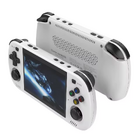

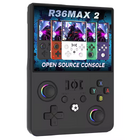


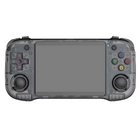



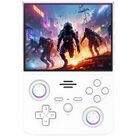


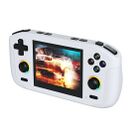


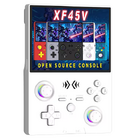


Price[edit]
~$35
AliExpress link #11: https://s.click.aliexpress.com/e/_oBTruBr
AliExpress link #21: https://s.click.aliexpress.com/e/_ooHlHAN
AliExpress link #31: https://s.click.aliexpress.com/e/_oDzNNo1
1 Buying through these affiliate links helps support the wiki. Your price stays the same. Commissions go toward devices, testing, documentation, and server costs.
Colors[edit]
-
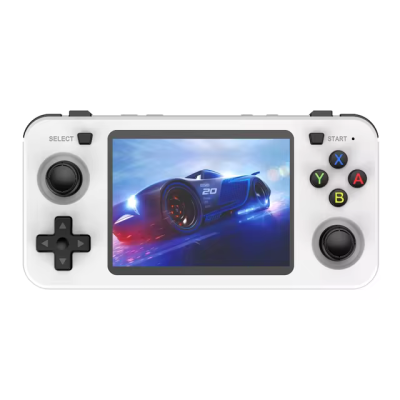
white -
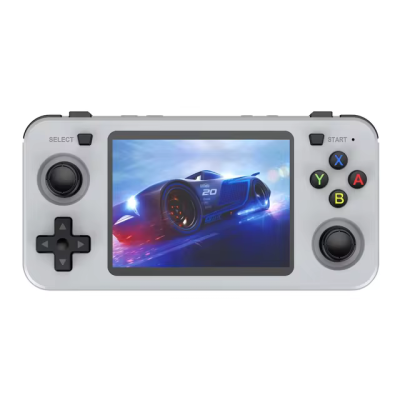
grey -
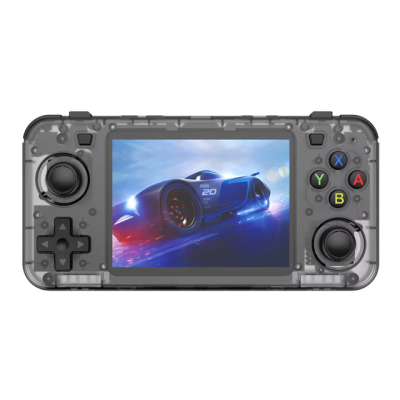
black transparent -

purple transparent -
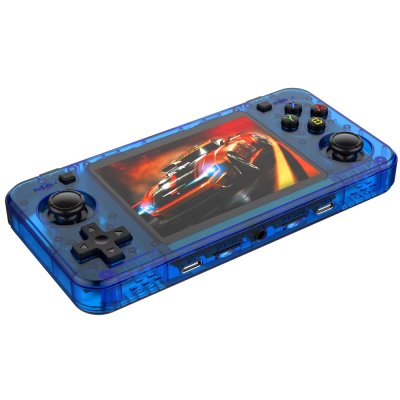
blue transparent -
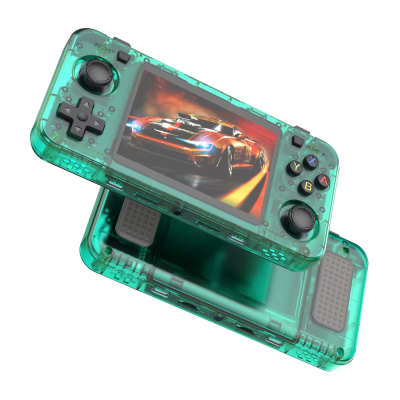
green transparent -

red transparent -
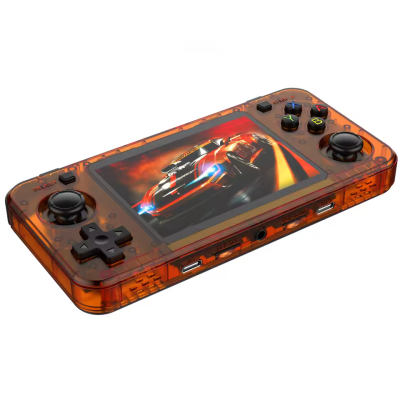
orange transparent


Internal wi-fi chip[edit]
Some devices were shipped with built-in wifi. If yours doesn't, you can solder a WiFi board on it.nTutorial including compatible chips is at the link below.


Compatible Case[edit]
The "Grey" case from the R36S and the "Yellow Zipper" case from the RG40XX H are perfect for the R36H handheld.


| "Grey" | |
|---|---|
| Overall Rating | ★★★★☆ |
| Sturdiness | ★★★☆☆ |
| Zipper | ★★★☆☆ |
| Material | ★★★★☆ |
| Soft Inlay | No |
| Notes |
|

| "Yellow Zipper" | |
|---|---|
| Overall Rating | ★★★★☆ |
| Sturdiness | ★★★★★ |
| Zipper | ★★★★☆ |
| Material | ★★★★★ |
| Soft Inlay | No |
| Notes |
|

More Information[edit]
Retro Handhelds Review: https://retrohandhelds.gg/r36h-hands-on/
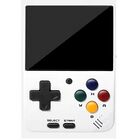
The R36H is a horizontal version of the R36S with Display Panel 4 (V5) version. The only real difference is the lack of a FN button. For setup guides and other stuff like themes or bootlogos you should check out the extensive R36S Wiki.
-

Link: R36S Handheld Wiki
User Manual[edit]
Firmware[edit]
The R36XX uses the Panel 4 (V5) version from the R36S, so choose your firmware and DTB version accordingly.
AmberELEC[edit]
- Change dtb file on the boot partition to this: https://github.com/tech4bot/r35s/tree/main/new_displays/panel4
ArkOS and ArkOS - R3XS[edit]
- Choose R36H/R33S as the device type in the Options Menu (for fixing the missing FN hotkey button)
- Reconfiguring "Hotkey" on R36H for ArkOS
ROCKNIX[edit]
- The R36H is not officially supported, but the R36S is officially supported. The R36S image works on the R36H. https://github.com/ROCKNIX/distribution/releases
- Once you write the Rocknix image to an SD card, open the ROCKNIX partition, create a folder named "overlays" and copy the correct dtbo file for your screen to the overlays folder. Then rename the dtb file to "mipi-panel.dtbo"
- For more information on the dtbo file, see the Rocknix doc page for the R36S: https://rocknix.org/devices/unbranded/game-console-r35s-r36s/#new-displays-r36s-of-year-2024
UnofficialOS[edit]
- Follow the instructions on the UnofficialOS Wiki
| AmberELEC | ||
|---|---|---|

| ||
| Latest version | 
| |
| Download | ⬇️ GitHub | |
| Documentation / FAQ | Getting Started Guide | |
| Hotkeys | Controls & Hotkeys Reference | |
| Officially Supported Devices |
| |
| ArkOS | ||
|---|---|---|
 | ||
| Latest version | 
| |
| Download | ⬇️ GitHub | |
| Documentation / FAQ | ArkOS Wiki & Setup Guide | |
| Hotkeys | Global & Emulator Hotkeys | |
| Officially Supported Devices |
| |
| ArkOS - R3XS | ||
|---|---|---|
 | ||
| Latest version | 
| |
| Download | ⬇️ GitHub | |
| Documentation / FAQ | ArkOS Wiki & Setup Guide | |
| Hotkeys | Global & Emulator Event Keys | |
| Officially Supported Devices |
| |
| arkos4clone (ArkOS for clones) | ||
|---|---|---|
 | ||
| Latest version | 
| |
| Download | ⬇️ GitHub Releases | |
| Documentation / FAQ | Github readme | |
| Info | Based on the ArkOS R3XS community maintained firmware. | |
| Officially Supported Devices |
| |
| dArkOS | ||
|---|---|---|
| ||
| Latest version | 
| |
| Download | ⬇️ GitHub | |
| Documentation / FAQ | dArkOS Wiki & Setup Guide | |
| Hotkeys | Global & Emulator Hotkeys | |
| Officially Supported Devices |
| |
| MyMinUI | ||
|---|---|---|

| ||
| Latest version | 
| |
| Download | ⬇️ GitHub | |
| Documentation / FAQ | Instructions are included in the download | |
| Hotkeys | Instructions are included in the download | |
| Officially Supported Devices |
| |
| PAN4ELEC | |
|---|---|

| |
| Latest version | 
|
| Download | ⬇️ GitHub |
| Documentation / FAQ | Getting Started Guide |
| Hotkeys | GitHub and AmberELEC Controls & Hotkeys Reference |
| Officially Supported Devices | |


| UnofficialOS | ||
|---|---|---|
 | ||
| Latest version | 
| |
| Download | ⬇️ GitHub Releases | |
| Documentation / FAQ | UnofficialOS Wiki | |
| Hotkeys | Hotkeys and Button Codes | |
| Officially Supported Devices |
| |
Other Projects at the Handhelds Wiki





