R46H: Difference between revisions
→Mainboard: + HL-R46H-V20 2025-09-09 |
|||
| (3 intermediate revisions by 2 users not shown) | |||
| Line 17: | Line 17: | ||
|External Storage=2x MicroSD | |External Storage=2x MicroSD | ||
|WiFi=Optional | |WiFi=Optional | ||
|Bluetooth=No | |||
|Video Output=None | |Video Output=None | ||
|Speaker=Other | |Speaker=Other | ||
| Line 121: | Line 122: | ||
</div> | </div> | ||
=== HL-R46H-V20 2025-09-09 === | === HL-R46H-V20 2025-09-09 === | ||
<div> | <div> | ||
<li style="display: inline-block; vertical-align: top;"> [[File:HL-R56H-V20.jpg|thumb|none|400px|Mainboard HL-R46H-V20 2025-09-09]]</li> | <li style="display: inline-block; vertical-align: top;"> [[File:HL-R56H-V20.jpg|thumb|none|400px|Mainboard HL-R46H-V20 2025-09-09]]</li> | ||
<li style="display: inline-block; vertical-align: top;">[[File:Wifi chip.jpg|thumb|none|400px|Wifi chip Realtek RTL8188ETV]]</li> | <li style="display: inline-block; vertical-align: top;">[[File:Wifi chip.jpg|thumb|none|400px|Wifi chip Realtek RTL8188ETV]]</li> | ||
</div> | |||
<div> | |||
<li style="display: inline-block; vertical-align: top;"> [[File:f76a8775-d278-4a8e-93b2-f88064179d70.png|thumb|none|400px|CAD screenshot of the HL-R46H-V20 2025-09-09 mainboard version - [https://discord.com/channels/741895796315914271/1344467569448452118/1425679017742434385 source]]] </li> | |||
</div> | </div> | ||
{{SectionStyleEnd}} | {{SectionStyleEnd}} | ||
| Line 268: | Line 270: | ||
Has better compatibility than ArkOS - R3XS. Everything is working fine including Nintendo DS games. | Has better compatibility than ArkOS - R3XS. Everything is working fine including Nintendo DS games. | ||
Boots fine after changing the boot.ini file and adding the gameconsole_linux.dtb from the stock SD card. These files are available here: [https://www.mediafire.com/file/chzdtentzz5jp1e/R46H-OS+64GB.zip/file ⬇️ R46H-OS 64GB @MediaFire] | Boots fine after changing the boot.ini file and adding the gameconsole_linux.dtb from the stock SD card. These files are available here: [https://www.mediafire.com/file/chzdtentzz5jp1e/R46H-OS+64GB.zip/file ⬇️ R46H-OS 64GB @MediaFire] | ||
For R46H models with built-in Wi-Fi, also copy the gameconsole.dtb file from the stock SD card to the boot partition and rename it to rg351mp-kernel.dtb. | |||
{{CFW:ArkOS}} | {{CFW:ArkOS}} | ||
| Line 288: | Line 292: | ||
{{CFW:AndR36oid}} | {{CFW:AndR36oid}} | ||
== UnofficialOS == | === UnofficialOS === | ||
UnofficialOS (uOS) is a community developed Linux distribution for handheld gaming devices. Use the R46H / R45H / R40XX / R40XX ProMax overlay. | UnofficialOS (uOS) is a community developed Linux distribution for handheld gaming devices. Use the R46H / R45H / R40XX / R40XX ProMax overlay. | ||
Latest revision as of 21:38, 22 May 2026
| R46H | |
|---|---|
 | |
| Specification | |
| Brand | Manufacturers: Other |
| Release Date | 09 / 2025 |
| Form Factor | Horizontal |
| SoC | RK3326 |
| CPU | Quad-core Cortex-A35 1.5GHz |
| GPU | Mali-G31MP2 520MHZ |
| RAM | 1GB |
| Screen Size | 4" |
| Resolution | 1024x768 |
| Aspect Ratio | 4:3 |
| OS | Linux |
| External Storage | 2x MicroSD |
| WiFi | Optional |
| Bluetooth | No |
| Video Output | None |
| Speaker | Stereo bottom facing |
| 3.5mm Audio Jack | Yes |
| Battery | 3000mAh |
| Extras | USB-C. adapter and wifi dongle are included |
| Pros & Cons of the R46H | |
|---|---|
| ✅ Pros | ❌ Cons |
|
|
Performance[edit]
SNES GBA PS1 NDS PSP N64 DC Saturn GC PS2 3DS Wii
These compatibility lists should apply to all devices with the Rockchip RK3326.
Big thanks to Batou for all the work he has put into this!
https://github.com/GazousGit/R36S-Game-Compatibility-Lists
- Atomiswave ~43%
- Dreamcast ~59%
- Nintendo 64 ~63%
- Nintendo DS ~80%
- Sega Saturn ~47%
- Sony PSP ~75%
|
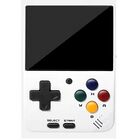


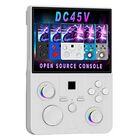


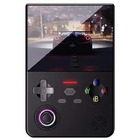


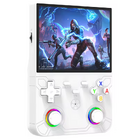

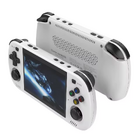

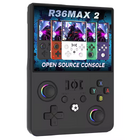


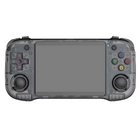
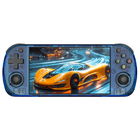


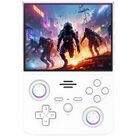


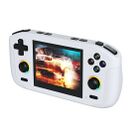


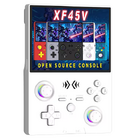


Price[edit]
~$40
Get the R46H:
- AliExpress BOYHOM Store1
- AliExpress Factory Game Direct Store1
- AliExpress Zhai Nan Store1
- AliExpress 001 Ali Choice Store1
- Alibaba.com1
1 Buying through these affiliate links helps support the wiki. Your price stays the same. Commissions go toward devices, testing, documentation, and server costs.
Colors[edit]


More Images[edit]


Disassembly[edit]


Mainboard[edit]
HL-R46H-V13 2025-06-18[edit]


HL-R46H-V20 2025-09-09[edit]


D-Pad fix[edit]
You can easily adjust the stiffness of the dpad by loosening or tightening this screw.


Manual[edit]

Packaging[edit]


R46H vs RG40XX H[edit]
Sorry for the poor photo lighting quality.


More Information[edit]
It has a 4-inch display. The advertised 4.2-inch size is incorrect.
- -
20251011: There are R46H - mine - where WiFi isn't working at all. I used same cable/dongle that's working on R36S flawlessly. I bought the R46H from this store. >>> Video
Videos[edit]
- -
R46H promo video from Alibaba claims that the aspect ratio is 3:2, but the 1024x768 resolution is 4:3. It also has built-in wifi according to this video.
- -
Tate Mode is absolutely playable on R46H:
Firmware[edit]
StockOS[edit]
Boot partition "R46H-OS 64GB" files: ⬇️ R46H-OS BOOT partition files
Stock OS firmware image: ⬇️ R46H 测试卡 16G .img (14.44 GB)
Scraper is not working (restarts EmulationStation). Controls in PPSSPP emulator are messed up.


Game Console Factory Test Suite[edit]
This tool can be found on the stock OS under OPTIONS. It includes following tests:
- System Information
- Battery Test
- Controller Test (joystick and button test)
- Multiple Screen Color Tests
- Screen Brightness Test
- Speaker Volume Test
- Aging Test (time can be set in hours - video of the repeating test sequence is below)

On ArkOS R3XS this tool only partially works after installing a few required files. Device + SoC does not get detected, Speaker Test and Aging Test are not working, but the other tests work fine. Here are the packages you need to install via ssh to start the tool (copied from ChatGPT after some troubleshooting).
sudo apt update
sudo apt install \
    libqt5core5a \
    libqt5gui5 \
    libqt5widgets5 \
    libqt5multimedia5 \
    libqt5multimediawidgets5 \
    libqt5multimedia5-plugins \
    libqt5gamepad5 \
    libqt5network5 \
    libqt5concurrent5 \
    libqt5xml5
ArkOS[edit]
Use the RG351MP version. Mirror: MediaFire.
Has better compatibility than ArkOS - R3XS. Everything is working fine including Nintendo DS games.
Boots fine after changing the boot.ini file and adding the gameconsole_linux.dtb from the stock SD card. These files are available here: ⬇️ R46H-OS 64GB @MediaFire
For R46H models with built-in Wi-Fi, also copy the gameconsole.dtb file from the stock SD card to the boot partition and rename it to rg351mp-kernel.dtb.
| ArkOS | ||
|---|---|---|
 | ||
| Latest version | 
| |
| Download | ⬇️ GitHub | |
| Documentation / FAQ | ArkOS Wiki & Setup Guide | |
| Hotkeys | Global & Emulator Hotkeys | |
| Officially Supported Devices |
| |
ArkOS - R3XS[edit]
Working fine with the new (11072025) release.
| ArkOS - R3XS | ||
|---|---|---|
 | ||
| Latest version | 
| |
| Download | ⬇️ GitHub | |
| Documentation / FAQ | ArkOS Wiki & Setup Guide | |
| Hotkeys | Global & Emulator Event Keys | |
| Officially Supported Devices |
| |
arkos4clone[edit]
| arkos4clone (ArkOS for clones) | ||
|---|---|---|
 | ||
| Latest version | 
| |
| Download | ⬇️ GitHub Releases | |
| Documentation / FAQ | Github readme | |
| Info | Based on the ArkOS R3XS community maintained firmware. | |
| Officially Supported Devices |
| |
AndR36oid[edit]
Use the R46H specific build.


UnofficialOS[edit]
UnofficialOS (uOS) is a community developed Linux distribution for handheld gaming devices. Use the R46H / R45H / R40XX / R40XX ProMax overlay.


Themes[edit]
Here's a download link for the themes that are included on the stock SD card: ⬇️ R46H Themes
- R46H-Alekfull-SOLO-ArkOS
- R46H-CODY-DESTROY-main
- R46H-Cyber2077-main
- R46H-simple-theme
- R46H-WOODY-CODY-main
For a preview and more ArkOS themes, visit the R36S Wiki.
Setup Guide[edit]
Most things are the same on devices that are running ArkOS as the operating system. Lots of tutorials like how to transfer files or adding themes can be found on the R36S Wiki.
Internet / Wifi Connection[edit]


Updating the Firmware[edit]


PortMaster[edit]
More info about PortMaster:


Game Showcase[edit]
Just a few of my personal picks while testing the R46H.


PortMaster Games[edit]
Just a few of my personal picks while testing the R46H.


R36H ProMax (R45H)[edit]
This is a newer version with stacked shoulder buttons and FN button. Sold by BOYHOM Store1 for example. More info at the link below.

Other Projects at the Handhelds Wiki





